Here's How to Defend in "NBA 2K20" (Including Steals, Flops and Intentional Fouls)
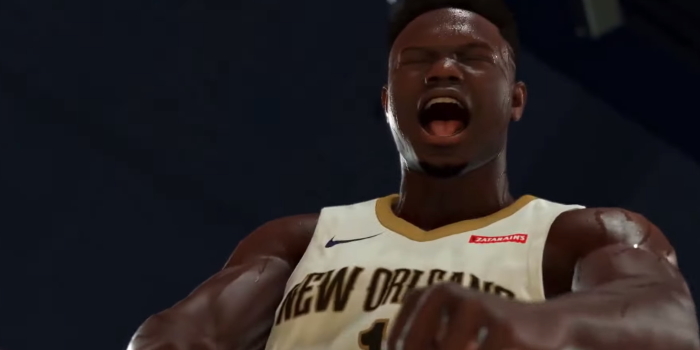
The best offence is a good defence.
Just because you’re playing with man-mountains like Zion Williamson or Giannis Antetokounmpo doesn’t mean you’re made in the shade when competing on NBA 2K20.
It’s one thing to drive to the hoop and posterise your opponents on the reg; it’s another thing entirely to keep the other team from doing it to you too.
That’s why learning all the intricacies of defence is just as important as nailing your three-point shot.
So, before you even dare to step onto the court, you better do your homework.
(This game was previewed on the PS4, so all screenshots below correspond to the PlayStation experience. Nonetheless, we'll outline the correct buttons for Xbox One as well.)
The Number One Rule You Should Never, Ever Forget
Though NBA 2K20 has made some tweaks to the defensive game (as well as the AI’s offence), one thing about defensive basketball will always remain true, whether it's in real-life or the virtual realm (and if you're not specifically using a zone defence).
Stay. 👏 On. 👏 Your. 👏 Man. 👏
(Or, in the case of the WNBA: Stay. 👏 On. 👏 Your. 👏 Woman. 👏 )
Your player’s Stamina Bar will point towards the opponent you need to tail. Don’t just rush to the opponent with the ball, because you’ll destroy your formation and leave a hole for the offensive team. Instead, press X on the PS4 or A on the Xbox One to player swap; you’ll instead move to another defender that’s close to the ball.
On-Ball Defence
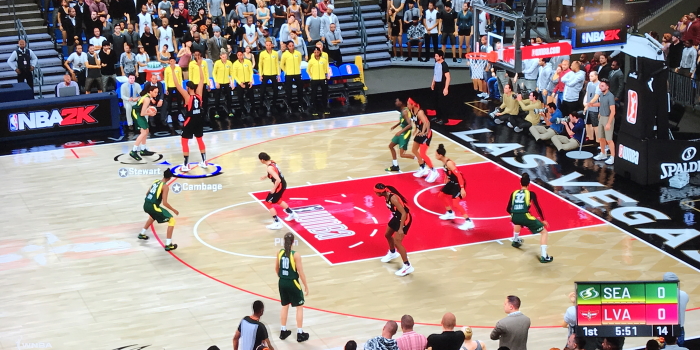
These are the first moves you should make before doing something drastic.
Intense-D: Get into a low defensive stance and create an intimidating semi-circle around the opposing player by pressing and holding L2 on PS4 or LT on Xbox One. You are now primed.
Crowd Dribbler: Don’t give your opponent too much space to move, or to let another player set a screen between you. Press and hold L2 on PS4 or LT on Xbox One and move the left thumbstick towards the dribbler to invade their personal space.
Fast Shuffle: Thinking they’re gonna make a fast break? Press and hold L2 and R2 on PS4 or LT and RT on Xbox One and move the left thumbstick in any direction to get in their way.
Hands Up: Deny them the chance to take a shot over you by moving and holding the right thumbstick up.
Hands Out: If you think they’ll pass to either side of you, move and hold the right thumbstick to the left or right and defend their passing lane.
Double Team: Need some help? Press and hold L1 on PS4 or LB on Xbox One.
Blocking a Shot
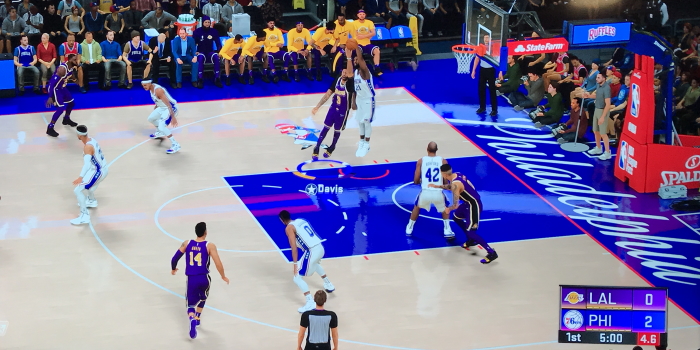
If the opponent is deadset on taking a shot, or you arrived too late to stop them, here are your remaining options. Just be careful with your timing (and your placement under the net) or you could get called for a foul.
Block: The physical equivalent of the Family Feud "bah-bum!" sound effect. Press Triangle on PS4 or Y on Xbox One when near the shooter.
Swat Block: Are either you or the shooter on the run? Hold R2 and press Triangle on PS4 or RT and Y on Xbox One.
Vertical Contest: Add some height or distance to your block by holding the left thumbstick away from the shooter and pressing Triangle on PS4 or Y on Xbox One.
Shot Contest: Not near the shooter but want to psych them out? Move the right thumbstick up and then quickly release as they’re taking a shot. Be wary of pump-fakes!
Stealing the Ball
In a selfish mood? Steal the ball from the opponent by pressing square on the PS4 or X on the Xbox One. If you’re up close, move the right thumbstick down then quickly release for an onball steal.
Pro tip: Only steal when the other player is dribbling, or you’ll see a foul called for sure.
Flopping and Fouling
Desperate times call for desperate measures. If your opponent is barrelling towards you with the ball, you can either take the charge by pressing and holding Circle on PS4 or B on Xbox One, or you can flop just like they do in soccer by double-tapping Circle/B. If you’re lucky, a foul will be called on the other team. Or, the ref will smell a faker and call a foul on you.
If you’ve got fouls to give and need a stoppage, you can intentionally foul by pressing and holding Square on the PS4 or X on Xbox One when near the ball handler. Go on, give 'em a hug.
Is That It?
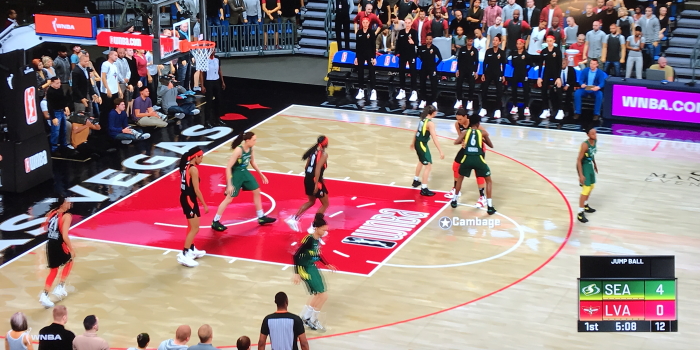
Hell no. Thanks to the enhancements of the 2K20 games engine, there are more post body-up moves to uncover that'll help you shut down spins, drives, dropsteps and hopsteps.
Plus, as is the case with shooting, you’ll have an advantage if you learn which players are ace defenders in real-life, because how they perform normally will inform how they perform in the game.
Sound intimidating, knowing you may actually have to figure out the best way to defend someone like Kawhi Leonard (when veteran champs can barely stop boardman in his tracks)? The good news is that 2K20’s AI will use the same shot timing mechanics as normies like you and me. This means the CPU isn’t simply guaranteed a bucket because it happens to be Steph Curry or Kyrie Irving taking it; no, the computer will also have to make space for itself, time its shot perfectly and avoid tough contests.
You love to see it!
NBA 2K20 is now available. (Affiliate disclosure: Student Edge may earn a commission if you click that link and buy a product from our partner's page.)
Read More:
Do You Need NBA 2K20 If You Have NBA 2K19 or Older?
Here’s How to Dunk in NBA 2K20 (Because It's the Only Way to Fly)
Here’s How to Shoot in NBA 2K20 (Because It’s Never Been More Scarily Accurate)
Here’s How to Do Dribble Moves in NBA 2K20 (From Spins to Crossovers)
Here’s How to Pump Fake and Fake Pass in NBA 2K20
Here’s How to "Eurostep" in NBA 2K20 (and Play Like Giannis)
How to Trade Players in NBA 2K20 (and Always Get Who You Want)
How to Get Bonus VC in NBA 2K20
Header Image: 2K Games
Topics
Ref: 3448d772-a55f-4abc-a585-aac30049ae6f




Comments & Feedback
Share your opinion
Emoji cheatsheet Formatting Comment guidelines