Here's How to Shoot in "NBA 2K21" (Including Stepbacks and Layups)
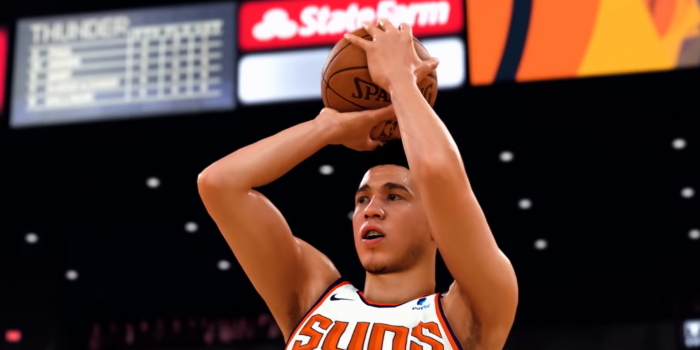
Wanna be a baller, shotcaller? We'll talk you through it.
It is our duty to inform you that, for the fifth year in a row, the makers of NBA 2K have dramatically tinkered with the way in which you shoot the ball.
So, basically, they've changed the whole game.
Over the years, Team 2K have attempted to make the shooting function smoother and more realistic, not wanting to sacrifice ease-of-play for accuracy. But generally speaking, it always involved holding the correct button or toggle until a bar beside or under your player filled up. You released once the bar was full, and not too early or too late. There was logic and beauty to the simplicity.
But NBA 2K21, with Damian Lillard adorning the cover, rethinks this, carrying over the evolution from NBA 2K20 that saw a player’s real shooting ability factor into your chances of sinking the rock, while also redesigning the shot mechanism, now making me as Wilt Chamberlain look a damn fool smack dab in the key.
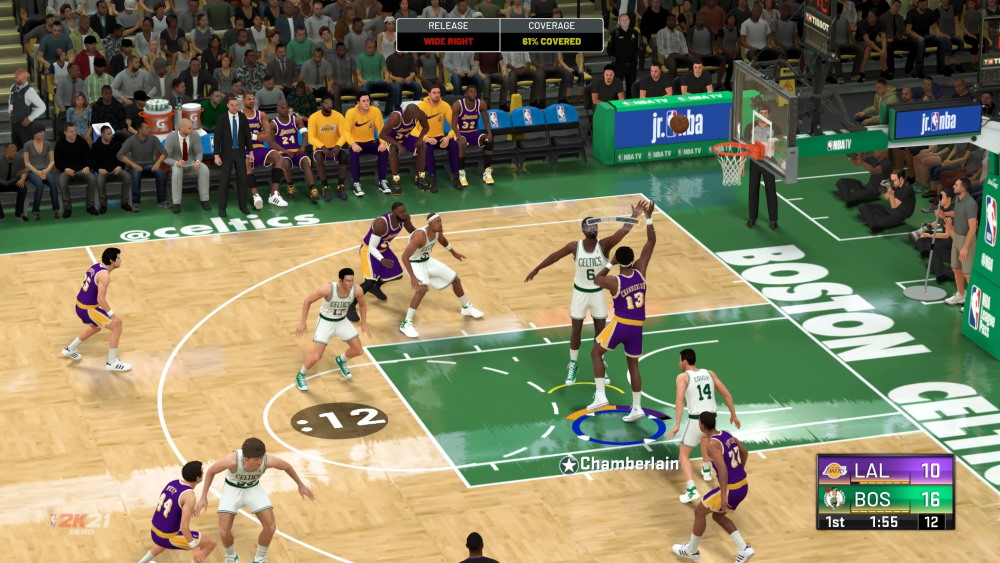
Don’t worry, we’ll break it all down for you below and lead you to excellence. It’s Dame Time… to do some learning.
(This game was previewed on the PS4, as provided for free by 2K Games. All screenshots correspond to the PlayStation experience. Nonetheless, we'll outline the correct buttons for Xbox One as well.)
The Basics
If you’ve never actually played NBA 2K before, here’s what you absolutely, positively need to know before playing.
To put the ball in the basket, hold and release the Square button on PS4 or X button on Xbox One, or pull back and release the right thumbstick.
When you begin to shoot using the buttons, a Shot Meter will appear above your head. However, the goal is no longer to fill it up entirely. Rather, you’ll want to release once the ‘ticker’ reaches the highlighted yellow section within the bar. It will be in a different spot depending on your player’s skill level, your position on the court and how heavily contested the play is. Nonetheless, you’ll want to release once inside 'the yellow'. If you time it exactly right, and the circumstances around you are good, you’ll flash green: guaranteed points. Get it way off: airball.
That’s not to say you won’t score if you don’t get perfect flashing-green accuracy. But it helps.
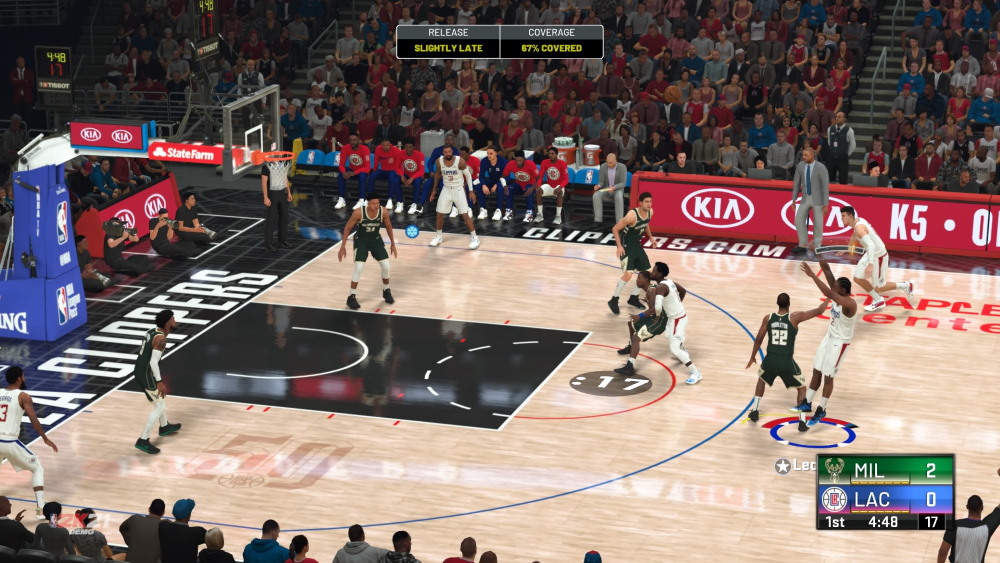
Here’s a grab of me, as Kawhi Leonard, going for it from beyond the arc (though, I can’t see what actually happened to the ball, which has disappeared, potentially behind the 'release' and 'coverage' bar).
If you prefer to use the thumbstick rather than the buttons, you’ll actually see that when you begin to shoot, you’re already positioned midway through the Shot Meter, or very close to 'the yellow'. This depends on whether or not you’re standing in the player's 'hot' or 'cold' zone (your player icon circle will flash red or blue, accordingly).
What you need to do instead is simply flick the thumbstick subtly in the direction of the yellow section to complete the shot. It’s less about timing and more about aim with the thumbstick, you see? This video will help explain:
Gameplay director Mike Wang added these tips too:
Shooting Tip: For jumpers, hold RS down to start a shot. While still holding, adjust the aim by moving RS slightly left or right till the tick is centered in the meter. You can also tap LT/L2 or RT/R2 to lock the aim and time the shot for an additional boost.
— Mike Wang (@Beluba) August 24, 2020
The most important factor is getting your aim centered. Don’t rush locking it in to get the timing boost if it makes you shoot off centered. But center aim + locking in excellent timing gives you the highest success chance.
— Mike Wang (@Beluba) August 25, 2020
If you’re feeling particularly zen and at one with your controller, you can always just wait for the controller to vibrate, indicating perfect shot-release timing. Namaste.
(If you’re only interested in posterising, the Shot Meter won’t appear for dunks. Just run into the paint and yank the right thumbstick or hold down the correct button at the basket. Sonned.)
The Not-So-Basics
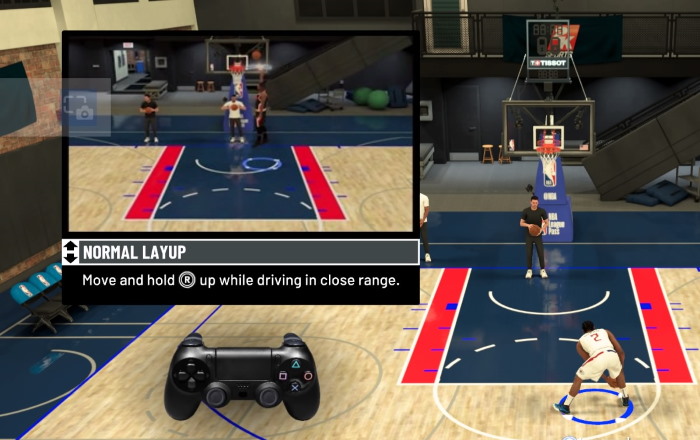
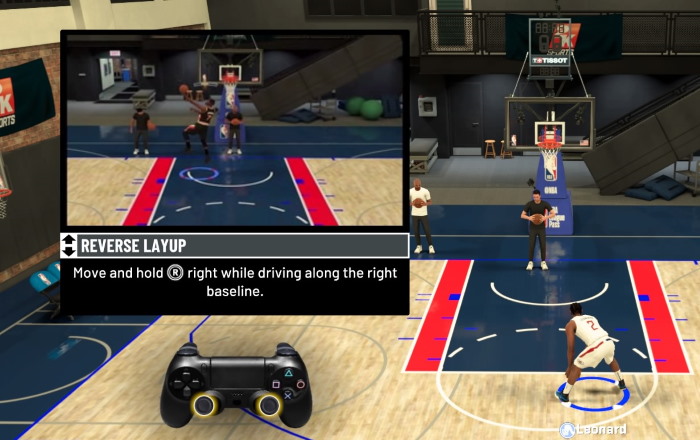
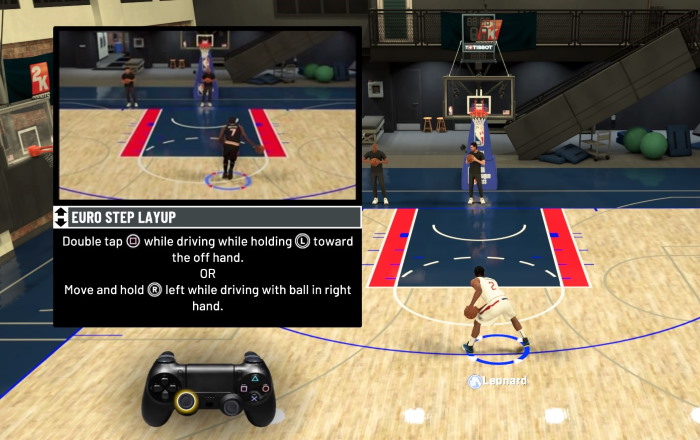
Real basketball fans know that the there’s no such thing as simply "shooting" the ball. There are oh so many ways in which you can release the ball from your claw-like hands into the sweet embrace of the basket. Thankfully, NBA 2K21 brings back 2K University, which allows you to practice all kinds of shots. The more reliable of these are the layups. Check out how to execute them below (and remember, for Xbox, simply swap the Square button for the X button).
Normal Layup
Reverse Layup
Eurostep Layup
Cradle Layup

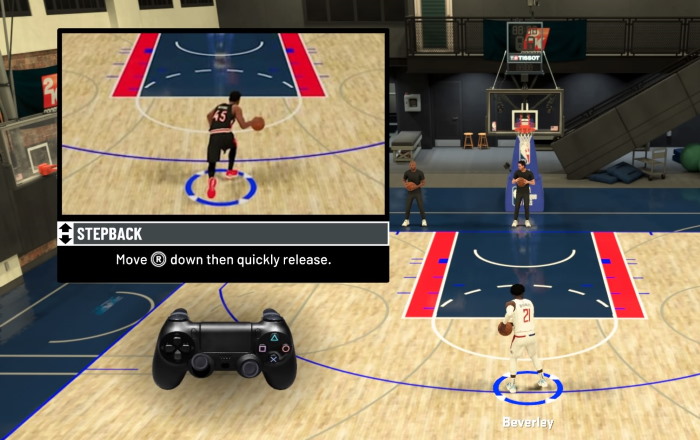
Or, maybe you want to be a bit speccy, and model yourself after James Harden and Luka Dončić. It’s a stepback you’ll want to execute! And given the accuracy of 2K21, you may only want to attempt a stepback three with those two (and not, say, Ben Simmons).
Stepback
Momentum Stepback
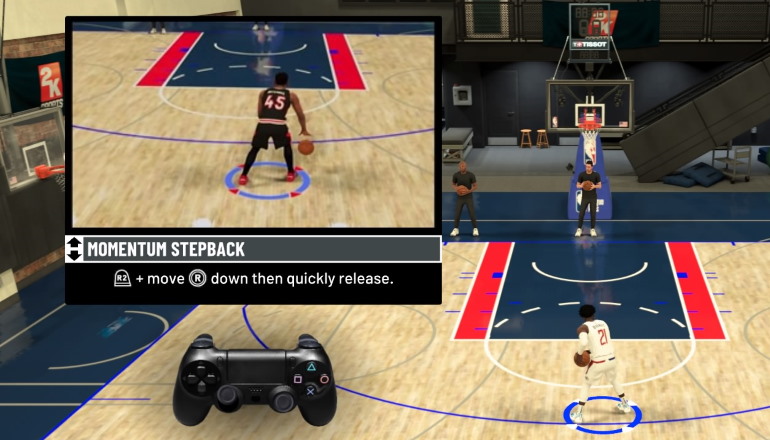
Just remember, the number one key to scoring remains shot selection, no matter who you’re playing as. If you're heavily contested in the paint, you may want to post up (with L2 on PS4 or LT on Xbox One) and then spin or drive a stepback by holding R2/RT and moving the right trigger left or right before quickly releasing. If they won't give you an opportunity, make one.
But, as always, you can fiddle in the settings to adjust Shot Timing and Aiming, and even the look and feel of the Shot Meter, until you find something that works for you. It’s your game, after all.
NBA 2K21 is now available. (Affiliate disclosure: Student Edge may earn a commission if you click that link and buy a product from our partner's page.)
Read More:
Here’s How to Dunk in NBA 2K21 (Because We Can’t Do It In Real Life)
Here's How to Defend in NBA 2K21 (From Steals to Flops to Intentional Fouls)
Here’s How to Do Dribble Moves in NBA 2K21 (Including Crossovers and Spins)
Here's How to Pump Fake and Fake Pass in NBA 2K21 (to Better Embarrass Your Opponents)
Here’s How to Eurostep in NBA 2K21 (So You Can Play Like a Fancy European)
How to Trade Players in NBA 2K21 (and Get Whoever You Want, Whenever You Want)
How to Get Bonus VC and MyTEAM Packs in NBA 2K21
Header Image: 2K Games
Topics
Ref: caaf95da-d980-45e5-8af2-ac2c0061af15




Comments & Feedback
Share your opinion
Emoji cheatsheet Formatting Comment guidelines