Facebook Is Changing Your News Feed (Again) in an Attempt to Stop More Data Breaches
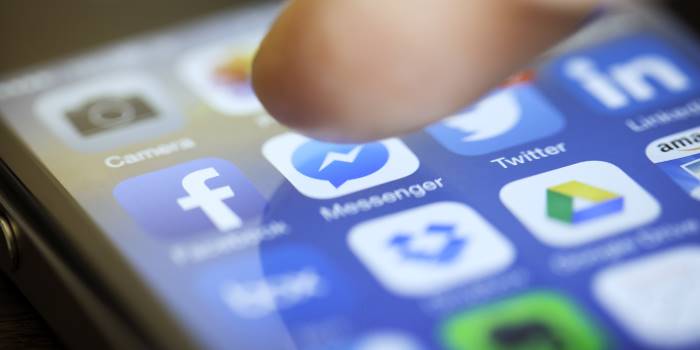
Is it too little too late?
Have you ever agreed to let an app "access" your details or contacts on Facebook? And have you ever tried to revoke that access later on, but not known where the hell to go in your FB settings?
You're not alone.
Facebook CEO Mark Zuckerberg has today announced a new tool that will make it much easier to control who gets access to your personal information, following a scandalous data breach that has seen many high profile personalities pledge to delete their accounts, and wiped more than $US45 billion from Facebook's stock market value.
It’s not me, it’s you. Goodbye. #DeleteFacebook pic.twitter.com/OIt6RwpUt0
— Rachel Clarke (@doctor_oxford) March 20, 2018
Zuckerberg also publicly accepted culpability for the breach, echoing—but going beyond—his response to the "fake news" problem that may have influenced the results of the November 2016 American election. Nonetheless, his statement on Facebook today came more than two years after he was informed that the organisation 'Cambridge Analytica' had improperly accessed the data.
"I started Facebook, and at the end of the day I'm responsible for what happens on our platform," he wrote today, without actually using the words 'sorry' or 'I apologise'.
Let’s step back a second and see how this all began.
What is 'Cambridge Analytica'?
Last week, a whistleblower revealed to the Observer how Cambridge Analytica used the personal information of approximately 50 million Facebook users—taken, without Facebook’s authorisation, in early 2014—to target them with personalised political advertisements.
The data had initially been provided to academic Aleksandr Kogan, under the premise that it was to be used for research purposes only. (This, by the way, meets Facebook’s terms and conditions.) However, Kogan then provided the data to Cambridge Analytica, which used the data for commercial purposes. And there's your breach: no hacking required.
At the time, Cambridge Analytica was headed by former Donald Trump advisor Steve Bannon. Though the company says the information was not used in the 2016 presidential election, whistleblower Christopher Wylie explained that Cambridge Analytica “build[s] models to exploit what we know about [people] and target their inner demons.”
When did Facebook know?
The social media giant has confirmed they learnt of the breach in 2015 from journalists at The Guardian.
"This was a breach of trust between Kogan, Cambridge Analytica and Facebook," Zuckerberg wrote on, well, Facebook.
"But it was also a breach of trust between Facebook and the people who share their data with us and expect us to protect it. We need to fix that."
What are they doing about it?
Zuckerberg insists they started taking actions in 2014 to "prevent bad actors from accessing people’s information in this way."
However, the beleaguered CEO admitted they need to be doing more. Here are the steps they’re taking:
1. Investigate all apps that had access to large amounts of information prior to the 2014 changes.
"We will ban any developer from our platform that does not agree to a thorough audit," he said.
"And if we find developers that misused personally identifiable information, we will ban them and tell everyone affected by those apps. That includes people whose data Kogan misused here as well."
2. Restrict developers’ data access.
If you haven’t used an app in three months, Facebook will remove the developers’ access to your information.
They will also reduce the data given to an app on sign-in; now, they'll just receive your name, profile photo and email address. Further permissions will be required for additional access.
3. Introduce a new tool at the top of your News Feed to revoke permissions.
"In the next month,” Zuckerberg wrote, “we will show everyone a tool at the top of your News Feed with the apps you've used and an easy way to revoke those apps' permissions to your data."
"We already have a tool to do this in your privacy settings, and now we will put this tool at the top of your News Feed to make sure everyone sees it," he added.
How can I protect my privacy now?
If you definitely don’t want anyone knowing your private details, you may be better off abandoning all your social media platforms (though, not before clearing them of all data and requesting its deletion) immediately.
If you still want to stick around on Facebook, head to your Settings and select ‘Apps’. Then, start revoking access to any apps you don’t want getting up in your business.
Also, don’t forget to check out your Privacy settings. There, you can limit who can see your posts, as well as who can find you via Facebook search, and so on.
Finally, if you don’t want to see ads that target your “inner demons” (seriously, what is that about?), review your Ad preferences, also found in Settings.
Be careful out there.
Photo: iStock.com/tomeng
Topics
Ref: 5128ca28-8b92-4f93-952c-a8ab001e6ad8





Comments & Feedback
Share your opinion
Emoji cheatsheet Formatting Comment guidelines