About
Passport
News
Movies & TV
Music
Games & Tech
Current Affairs
Fun
Life
Learning
Your Wellbeing
Get Job Ready
Real Money Talk
Ready, Set, VET
All Courses
Study Tools
Study Areas
Grade Calculator
Where to Study
Find a Job
Resume Builder
Job Ready Checklist
Choose a Career
Career Quizzes
Competitions
Comp Winners
Refer a Mate
Surveys
Deals
Popular Deals
Download the App
Australia
  • About Student Edge
  • Membership Plans
  • Help & FAQs
  • Contact Us
  • Parents
  • Advertise with Us
  • Research
  • Terms   
  • Privacy
  • SE Plus User Terms
  • Collection Statement
  • Code of Conduct

© Student Edge 2026

  • Life
  • Cyber Safety

Ten Ways To Stay Smart On Social Media

Student Edge
Student Edge    May 16, 2016
Ten Ways To Stay Smart On Social Media
Sponsored
This post is presented in partnership with Norton.

Social media has given us so much.

Seriously: the ability to remain connected with friends from around the globe; something to scroll through at parties where you don’t know anyone else; vomit rainbows; the Swift/Minaj feud of ’15; Channing Tatum’s heartbreaking Instagram tribute to his dead goat…

The list goes on.

But it comes with its risks too. By opening up on Facebook, Twitter, Snapchat or Instagram – like Tatum did, so beautifully – we potentially risk revealing too much of ourselves. And if your privacy settings aren’t on lock, you may find that posts once intended just for close friends end up public to your teachers, your bosses, your prospective employers, and, worst of all, your parents.

Social media has changed our world in ways that were once thought to be impossible, and embracing it is no bad thing… so long as you’re wary of the risks that come with it. Over social media, you may unwittingly share intimate, private information that could be used against you by hackers, harassers and bullies (in the case of the latter two, both online and in real life).

Here are some tips on how to stay smart on social media, without limiting your enjoyment.

1. Check your privacy settings.

This is the big one. Social media platforms just love changing privacy settings on you. Usually they’ll let you know via email update or a notification. However, you should regularly check your account settings anyway, just in case. (Usually, click your avatar for profile settings.) There, you’ll get an understanding of who can really see your updates. Oh no! Nan saw everything all along!


Fresh Prince

2. Slog through the Terms and Conditions.

Before joining any new service, you really should read through the Terms and Conditions…

Okay, we all say that and no-one does it. If you aren’t willing to set aside an evening to scour the fine print, at least do a quick word search for any key phrases like “public”, “personal information”, “third party” and “eternal damnation”. Why does it matter? Snapchat users recently had to agree to new Terms that gave the ghost-logoed company “worldwide, perpetual” licence to “host, store, use, display, reproduce, modify, adapt, edit, publish, create derivative works from, publicly perform, broadcast, distribute, syndicate, promote, exhibit, and publicly display” their pics. Now that’s spooky. By reading Ts & Cs, you can find out what your social media service of choice can legally do with not only your posts, but your personal info as well. This might change your mind about being involved with them in the first instance. Only click ‘accept’ if you’re comfortable with their conditions.

3. Be cautious about what you post.

One easy way to ensure no family, friends or workmates ever see an embarrassing post of yours is to not post anything embarrassing to social media.

Duh

Now, if you’re already running each and every photo and status update through your own personal shame filter, you might want to add one further consideration: these posts will live on the internet forever. Just because it’s not embarrassing at the moment doesn’t mean it won’t be in a few years’ time. The ‘On This Day’ feature on Facebook reveals what you posted ‘On This Day’… for every year. Poorly worded, misspelled posts make you feel regretful enough – imagine how you’d feel after seeing humiliating pictures of your younger self?

Shame

4. Explain your new social media policy to friends.

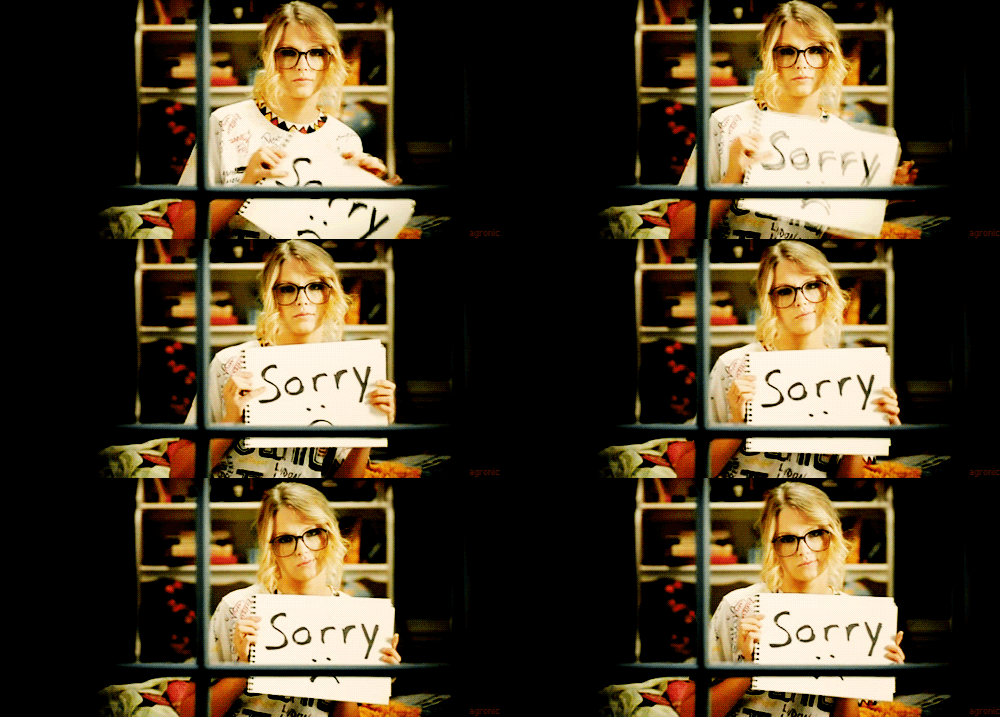
It could be that your friends aren't all that interested in maintaining your personal privacy. They may not even realise it when they’re batch uploading photos from the weekend's shenanigans. Make it clear to your pals that you’d prefer they didn’t share pictures of you without checking in first. Don’t be afraid to ask them to take pre-posted photos down too. If they don’t listen, most social networks have a ‘report’ function that you should definitely use. Hopefully, your buds will be happy to help.

Sorry

5. Remain enigmatic and elusive.

Be careful sending private info (regarding your identity, address, finances, et cetera) over social media, for all the reasons listed above. Similarly, be wary of letting people know, via social media, that you’re away from home or, worse, out of the country (particularly if you’ve been a bit loose-lipped with your address previously). It’s always tempting to boast about #holidayvibes while you’re beachside somewhere. Perhaps you’d be better off sharing those snaps after you return.

6. Beware of creeps sliding into your DMs.

The trouble with the internet is that you’re never entirely sure of who you’re speaking with online. Anyone who’s seen Catfish - or left their phone unlocked and in the hands of a pesky brother or sister - already knows this. So, for that reason, think twice about engaging in direct/ private conversations online, especially if the other party starts asking for private details. Even if you’re 110 per cent certain of who you’re speaking with, reconsider sharing personal info or pictures over social media. You’ll need to ask yourself: can you trust that this exchange will remain private?

7. Keep your friends close.

Don’t make it your life’s mission to seek out the most number of friends and followers. Sometimes, it’s better to curate a more intimate, tighter group of friends online, to keep you safe from the prying eyes of strangers who have somehow weaselled past your privacy settings. Nothing’s freakier than a stranger commenting on all of your posts.

8. Make your password impenetrable.

Make it long. Throw some numbers and random capitalised letters in there, or a question mark to keep things interesting. Avoid phrases budding hackers could easily guess. If you have to use something you can easily remember, don’t put too much of your personal info up on LinkedIn or Twitter, as your work history and family members’ names can be used by others to guess your password. (We don’t know why you would, but definitely don’t Tweet your mother’s maiden name.)

Duh

9. Install Norton.

If you really want to keep hackers at bay, good anti-virus software should save you from malware and potential invasions of your home network. Student Edge members can download Norton Protection on their primary social media-using device, to keep hackers from attempting to unravel login information. It’s the smart thing to do.

Smart

10. The ‘nuclear’ option.

Wondering what the world sees when they search your name? Use a friend’s phone – one on which you’ve not logged into any social media platforms – and Google away. Click the links. Are you comfortable with what’s coming up? If not, you may need to consider the ‘nuclear’ option: erase your accounts. No judgment. For some, this is the only step that makes sense. Otherwise, go back through the above suggestions to see how you can clean up your profile, feel safe on social media and keep your private life private. Spare your nan the embarrassment.

Shame

Student Edge members save 50% when buying Norton Protection (Normally $59.99). Get Norton Security Premium for One Device and get it for $29.99.

Photo: Sony.

Topics
cyber safety
digital reputation
trolling
identity theft
online friends
cyber bullying
social media
norton

Ref: e7766c55-cd52-45e6-aa88-a604009079e5
You may also like

Student Edge: Bringing 'Cyber Safety' Programs To Your School

Student Edge: Bringing 'Cyber Safety' Programs To Your School

Apr 01, 2016 at 05:31PM
What Are the New Instagram Safety Features Your Parents Could Be Using?

What Are the New Instagram Safety Features Your Parents Could Be Using?

Jun 17, 2022 at 06:32AM
FaceApp Is Back and Creepier Than Ever

FaceApp Is Back and Creepier Than Ever

Jul 17, 2019 at 06:10AM
All News

Most Popular

The Biggest Bookish Stories Right Now
in News › Internet & Social Media
Belgravia Leisure - 3-day free trial plus 35% off 360 memberships
in DEALS
Win a share of $1,000 worth of prizes with our Mega Giveaway
in WIN

Comments & Feedback

Share your opinion

Emoji cheatsheet    Formatting    Comment guidelines

Newest first
  • Julia K
    Julia K

    This is great, needed for teens these days

    • 1
    • Reply
    • over 10 years ago
  • Student E
    Student E

    Really great advice! Also love a good Will Smith GIF.

    • 1
    • Reply
    • over 10 years ago
loading...

Hey there!
Join the Student Edge fam to:

  • Gain access to exclusive deals
  • Win epic prizes & paid surveys
  • Get helpful study tips and tricks
Like
Add to collection