Snapchat Is Now Letting You Save Your Snaps (And Even Keep Some For “My Eyes Only”)
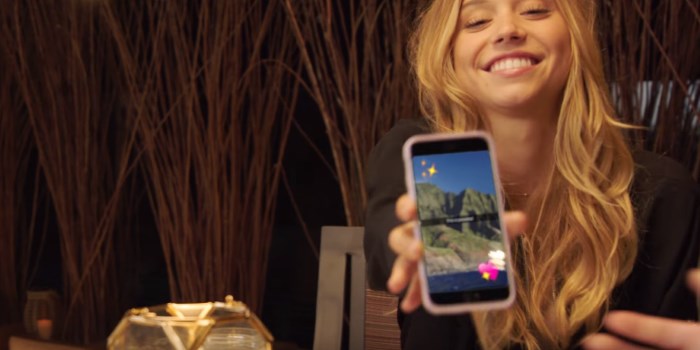
Snapchat is changing the game, once again.
The spooooky social media service has today announced they’re rolling out a new feature called ‘Memories’ to selected users over the next month or so.
What it allows people to do is save their Snaps and Stories, which were previously lost to the sands of time (unless they were surreptitiously screen-grabbed by followers).
Not only will ‘Memories’ allow you to hold onto Snaps for old times' sake, but it’ll let you pop them into new Stories too. (However, any Snap that’s more than a day old will come with a frame to let everyone know it’s a blast from the past, in case you wanted to keep pretending that you’re just as youthful-looking today as you were five years ago.)
Snapchat’s also introducing a feature called ‘My Eyes Only’.

No, it’s called ‘My Eyes Only’, and it lets you tag certain Snaps as such if you don’t want anyone browsing your older ‘Memories’ to see something embarrassing and private.
“Memories is backed up by Snapchat,” the company said in a statement.
“We won’t backup any photos or videos from your Camera Roll, unless you use one to make a new Story or add it to My Eyes Only. In that case, we’ll back up only the photo or video that you used.”
Just remember, even if you don’t save your Snaps, the Snapchat ghost still holds onto them and owns them for all eternity, as per updates to their terms from last year.
(“[Snapchat has] worldwide, perpetual, royalty-free, sublicensable, and transferable license to host, store, use, display, reproduce, modify, adapt, edit, publish, create derivative works from, publicly perform, broadcast, distribute, syndicate, promote, exhibit, and publicly display [your uploaded content] in any form and in any and all media or distribution methods (now known or later developed).”)
Snap smartly.
Photo: Snapchat.
Topics


Most Popular



Comments & Feedback
Share your opinion
Emoji cheatsheet Formatting Comment guidelines
Keen