How to Stay Cyber Safe: Internet Tips for Kids and Students
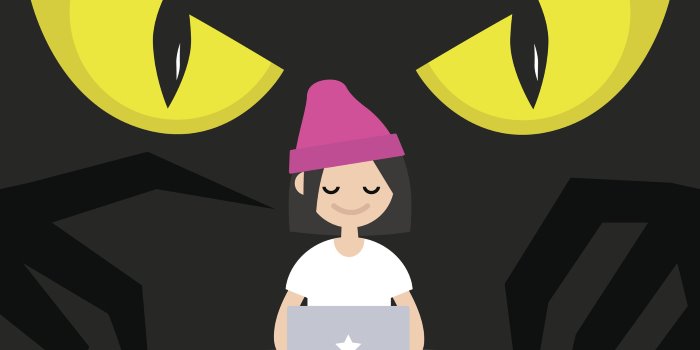
Are you as 'cyber safe' as you could be?
Happy Safer Internet Day! (Yes, it's a thing.) #SID is an annual worldwide event held to encourage "a better internet" based on the 4Rs: Respect, Responsibility, Reasoning and Resilience (which are not to be confused with the other 4Rs: "Reduce, Reuse, Recycle, Rihanna").
So, to celebrate, we wanted to know: What do you do to demonstrate 'reasoning and resilience' online?
We asked Student Edge members if they had any advice for their fellow students when it came to online 'responsibility', or any recommendations for demonstrating more 'respect'.
And, yeah, they sure did. Check out our fave tips below! (Oh, and if you're after more #SID resources, head to the Office of the eSafety Commissioner's website! Or, get Student Edge to visit you in school!)
-
Always be aware that everything you do on the internet will stay there no matter if you close that window and never see it again. Don't share any personal details, they are meant to be personal for a reason.Vy H from VIC
-
Don't post images/videos you will regret. If you wouldn't show your parents the content you post, don't post it. Block threatening accounts. Tell an adult if you feel threatened.Zoe P from WA
-
Don't broadcast your entire life and happiness online for everyone to see and criticise. Count your blessings and stay lowkey.Ameneh R from NSW
-
Before entering personal details online (such as for banking), always check that the website is secure. If it is secure, the URL will start with ‘https’ (s = secure).Emily S from QLD
-
Instead of spreading negativity online, spread positivity. It's alright to comment criticism, but never okay to straight out hate on someone and attack them.Charity N from VIC
-
Check the credibility of the site. Check the terms and conditions about the privacy of the information that you provide.Mun N from NSW
-
Don’t start responding to articles or fake news without knowing real facts. Stay off sites that will create an unsafe environment.Michaela H from VIC
-
Attack the argument, not the person. It's easy to get emotional and react negatively to things shared online, but in responding with factual information shared in a positive manner it helps educate and raise awareness rather than exacerbate animosity.Katrina T from WA
-
Don't add people you don’t know on social media. Keep only your family and close friends to reduce the risk of being bullied online.Amy N from WA
-
Never have your ‘Snap Maps’ on if you have Snapchat.Brooke E from NSW
-
Get a good paid virus protection software for all your devices.Dineshe M from NSW
-
If you wouldn't show your grandma your post or whatever you're sending, delete it right away.Charlene L from NSW
-
Don't say anything that you wouldn't want tattooed on your body.Jason S from NSW
-
Never be a public account and never open DM requests from people you don’t know.Naadiya O from QLD
-
Don't post while you're away on holiday. Burglars may notice and rob your place while you're gone!Amel S from NT
-
It is good to often go through your friends and followers on places like Insta, Facebook, Snapchat to make sure you know the people who are seeing all your info, because it is possible for people to start following you without you getting a notification about it.Molly D from VIC
-
When checking emails, hover over the email address to ensure it is a legit email prior to opening.Karina L from NSW
-
Prevention better than cure! Avoid strange websites, placing important personal details online (especially on unsecured sites) and always have protection software on your devices.Grace K from QLD
-
Sometimes I like to hide under my bed and pretend I'm a bread when I've had too much internet for the day.Andrew O from VIC
-
Follow the same principles you would in the real world. If something seems too good to be true then it probably is. Don't click.Daniel N from NSW
-
Your password should contain at least two capital letters, three numbers and a few random bits nobody can guess. And make it 18 characters long! Just saying...Azin A from NSW
-
To stay cyber safe, I would say to just stay kind and remember that the way you treat people online does affect them and it’s not okay to ever be disrespectful. If you find yourself in a situation where you feel you are the victim, simply un-add or remove that person from being able to talk to you. Being online should be enjoyable. It’s not selfish to make decisions to make your time the safest and happiest it can be on the internet. Stay respectful.Paris P from VIC
Header Image: iStock.com/nadia_bormotova
Topics
Ref: 0e780a95-1d01-455b-ba7d-a9e0007ba166





Comments & Feedback
Share your opinion
Emoji cheatsheet Formatting Comment guidelines