Student Edge Gets Upgraded: Check Out Our New Look and Improved Features

Your eyes do not deceive you!
If you just logged onto the Student Edge website, you might have noticed we’re looking a little different these days.
That’s right, we have taken off our glasses, untied our ponytail and swapped our stained overalls for a stunning ballgown, metaphorically speaking. Yes, we’ve been She’s All That’d.
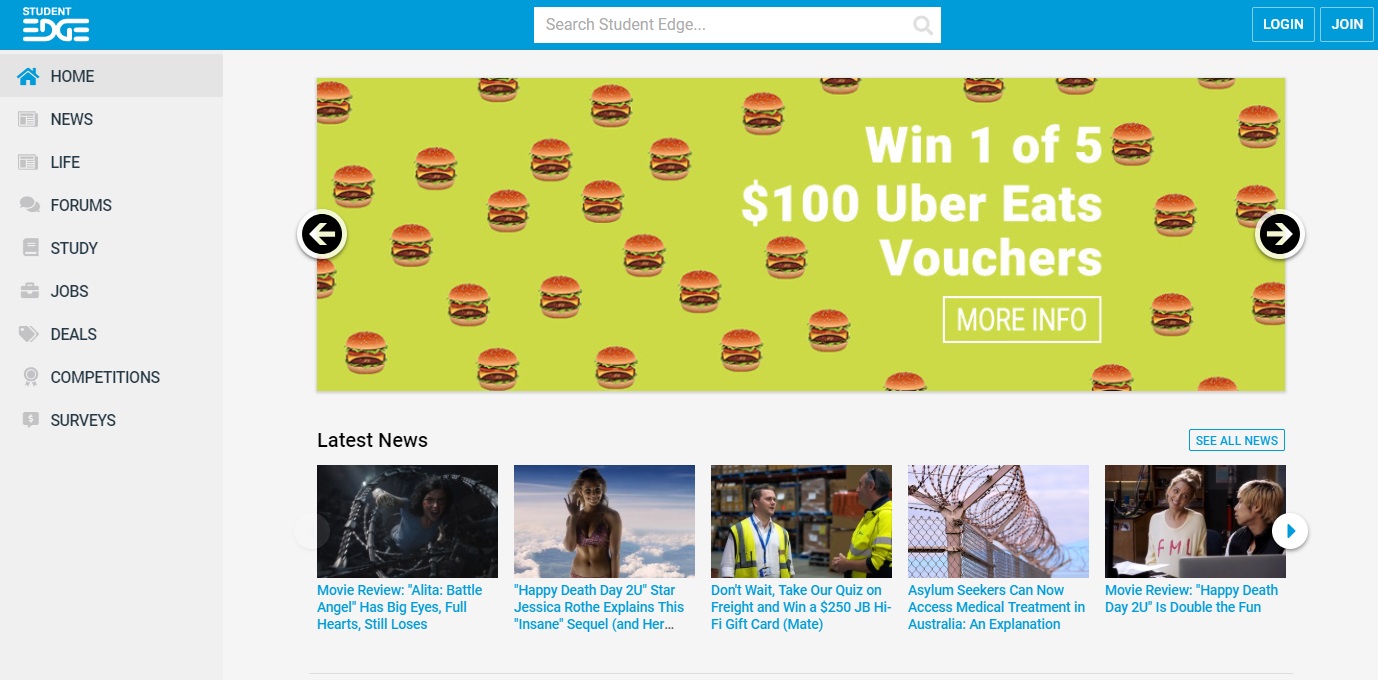
Noice, right? We haven’t just given the site a fresh lick of paint either; we’ve actually gone under the hood to make the Student Edge experience way better, and added a few nifty tools to help you out during the school year.
Plus, we’ve got more enhancements on the horizon, tailored to help you build life skills, get job ready and understand future pathways (all while still offering awesome member benefits, exclusive competitions and up-to-the-minute news & life articles you'll love)!
First, let’s take a look at everything new
New Homepage
As you can see above, we've moved our navigation to the left hand side of the page and improved our search function, which is now located across the top of the screen. To login (or join, if you’re a newbie!) you just need to click the corresponding buttons in the top right hand corner.
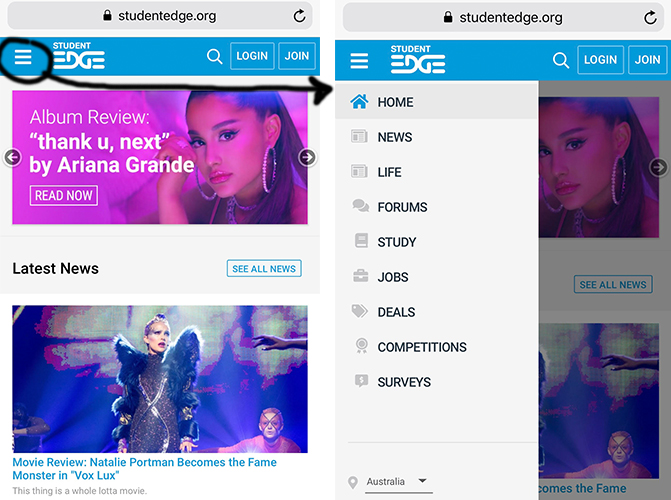
If you’re browsing on mobile, it looks slightly different (see below), but fear not. To open the side-nav, simply click the little 'hamburger' in the top left corner, and to open search, select the magnifying glass icon.
Student Planner
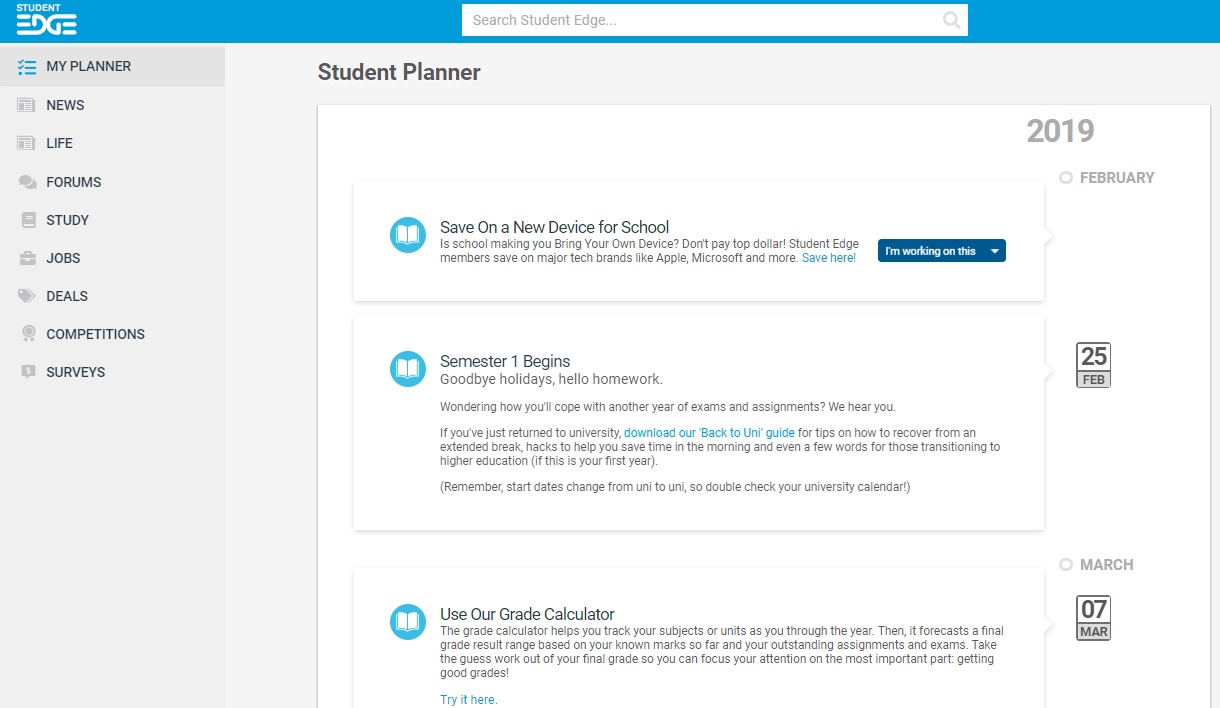
In the navigation, you’ll see a new option called 'My Planner'. This will take you to your specially-curated Student Planner, which will keep you up to date with everything you need to know, based on your age, state, where you’re studying, the time of year and how long you’ve been a member!
Want to know if you’re old enough to get a job, or start driving, or enrol to vote? We’ll give you the heads up when the time comes, as well as which steps you need to take! Wondering what to do on the holidays, or when you should start prepping for exams, or what the cut-offs are for uni applications? Again, we’ll help you out there too! Just make sure your details are as accurate as possible, to ensure you’ll only see the most relevant stuff. Then, you can indicate on each item of the Student Planner whether you’ve started something, finished it, or want to be reminded of it later. In the near future, we’ll also be giving you the ability to add your own events, so stay tuned!
Feature Articles

We have a new, special kind of article rolling out with the new site. We’re calling them 'Features' and they’re gonna take over your screens. We’ll be using these on special occasions or for very important reports. Or not. Maybe we’ll just do it whenever we feel like it, because it looks so good!
New-Look Deals
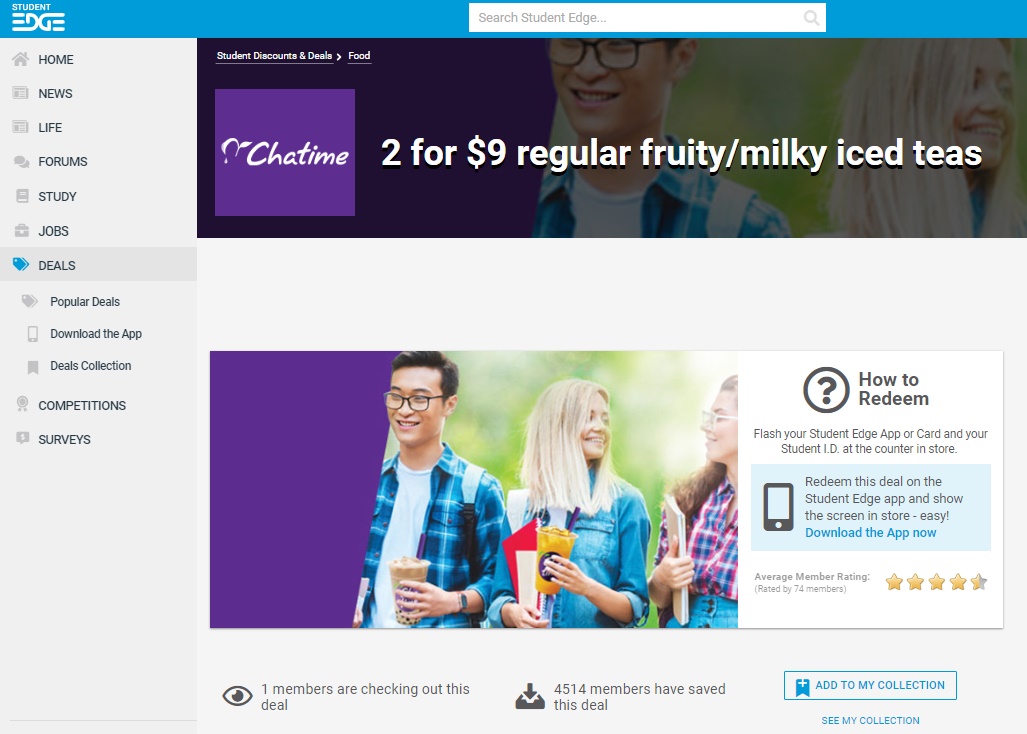
Ever had trouble finding the Deals you love on Student Edge? We’ve revamped our Deals to help you browse and search better. Plus, on the individual Deal pages, you can quickly find out how to redeem and add your faves to a 'Collection'. See your entire Collection under Deals in the side-nav!
New-Look Surveys
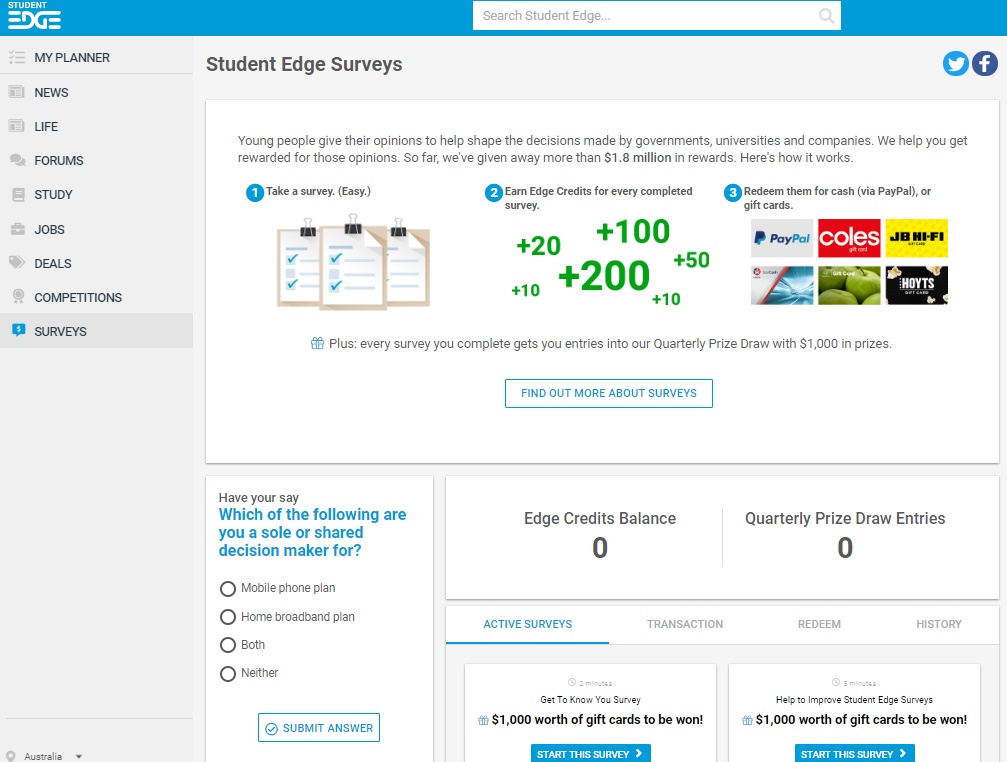
See how smooth and shiny our new Surveys page is? Finding out how our surveys work and getting updated on your Edge Credits Balance and Quarterly Prize Draw Entries is now a breeze. Never miss a new survey!
Coming Soon…
Though the whole site is looking fresh to death, we still have a few more updates in the pipeline. So, keep an eye on the SE site over the coming weeks for changes and improvements to our Study, Jobs and Competitions section. Plus, even more personalisation!
Header Image: iStock.com/Khosrork
Topics
Ref: 7bbde49e-1d8d-49e5-9c51-a9f9006ec480



Most Popular



Comments & Feedback
Share your opinion
Emoji cheatsheet Formatting Comment guidelines
Looks really good guys! Glad I could help out with the testing.
I don't know how to find out how many more deals i need to rate for that day and things like that.