Free Calls, Invisible Ink And Lyrics In Apple Music: Here’s What You Get When You Upgrade To iOS 10
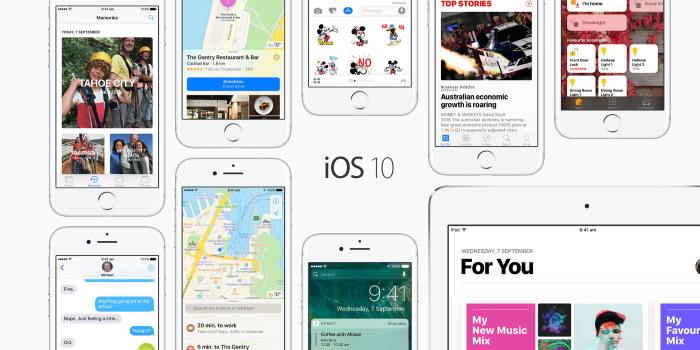
You don’t need to abandon your headphone jack to take advantage of Apple’s newest operating system, iOS 10.
(Although, if you still want the Apple iPhone 7 feel without having to buy a new phone, you could always stick a cotton-bud in your older model’s headphone port.)
iOS 10 dropped overnight (for some) and gives iPhone users a bunch of new enhancements, perhaps the most exciting of which is the appearance of incoming calls via WhatsApp, Facebook and Skype on your lockscreen, as if they were coming from your regular carrier.
The phone will even learn what your preferred method of contacting each of your friends and family members is, and use that platform when you try to get in touch with them.
Basically, Apple and these third-party VOIP (Voice Over IP) systems have helped begin the process of doing away with old school phone 'gatekeepers' by prioritising these "free" alternatives. (Of course, you'll need to watch your data.)
Onto the rest:
Your Messages Now Come With Stickers, Animation And… Invisible Ink
The Messages app has enjoyed an overhaul in iOS 10. It’s now overrun with stickers and animations, making it seem a lot more like Facebook Messenger. Look forward to being inundated with Super Mario stickers when they’re released ahead of his new mobile game later in the year.
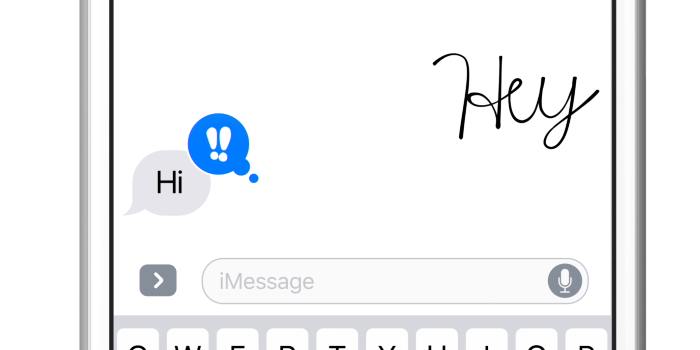
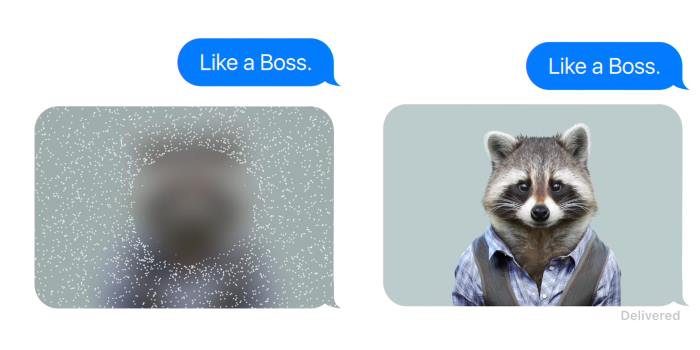
You can now also send a message in your own handwriting via the app, or use “invisible ink” (which is basically a hidden message or photo that needs to be swiped to reveal what’s behind it).
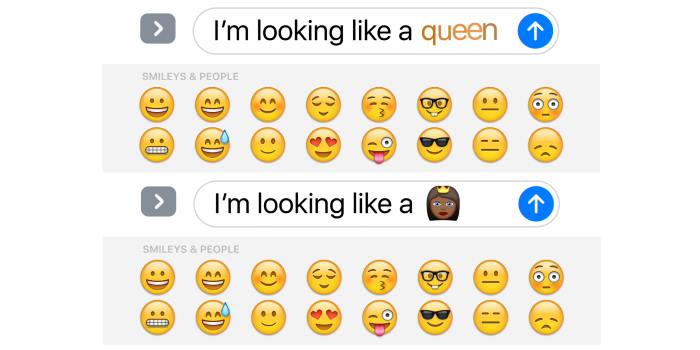
Most revolutionary (though we’re stretching the parameters of what that word means here) is the ability to swap words (like basketball, smile or, presumably, eggplant) with emoji, just by tapping them.
Lockscreen, Unlocked
Your lockscreen is quite different now too; it’ll light up with notifications when you literally raise your phone slightly. That’ll be fun in cinemas.
Those notifications can also be responded to or acted upon without you needing to unlock your phone. Have at them, iPhone thieves!
You Parked Where?
Apple Maps has also improved, offering predictions for where you’re headed and suggestions for alternative routes (not to mention relevant eateries nearby).
Most significantly – to this writer – your iPhone will now remember where you last parked your car, adding a pin to Maps whenever it comes to a complete stop.
Your Photos Will Never Forget A Face
Most controversial will be the enhancement to Photos, which is now empowered to scan your library and identify faces and places.
It’s also taken a leaf out of Facebook’s, well, book, and introduced a Memories feature, which can automatically turn your photos into slideshows and videos.
And The Rest...
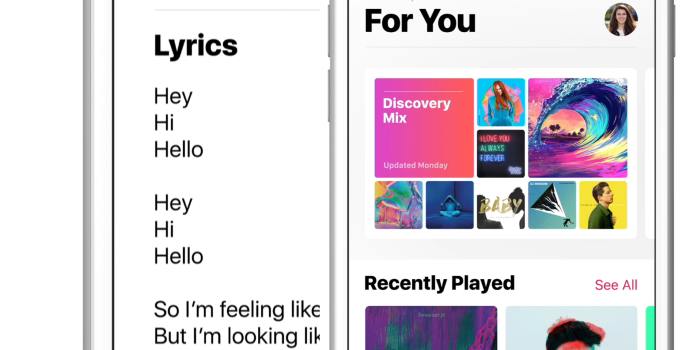
News and Apple Music have been given a more intuitive facelift (the latter now includes lyrics), and you can finally delete Apple’s previously-invincible apps. So long, Stocks!
There’s more, but you can learn about them over at Apple. Or, update your iPhone and experiment yourself.
(Rest easy; though early adopters received instructions to restore their device mid-update, Apple says that particular issue has now been resolved.)
Just beware of the feature allowing you to "Optimise Storage"; this will basically delete songs from your library that you haven't played in a while, to ensure you never run out of space. Click off! Just because we haven't listened to Jay Z's Magna Carta Holy Grail since it was released doesn't mean we won't want to, erm, someday!
Photo: Apple.
Topics
Ref: 8c930632-ffff-4fd4-a69f-a681003156f4



Most Popular



Comments & Feedback
Share your opinion
Emoji cheatsheet Formatting Comment guidelines
DONT GET IOS 10 IT STUFFED UP MY PHONE AND NOW THE LOCK SCREEN WONT OPEN!