Play Games on Your Smart TV and Customise Your Controller: All the Latest Xbox Updates
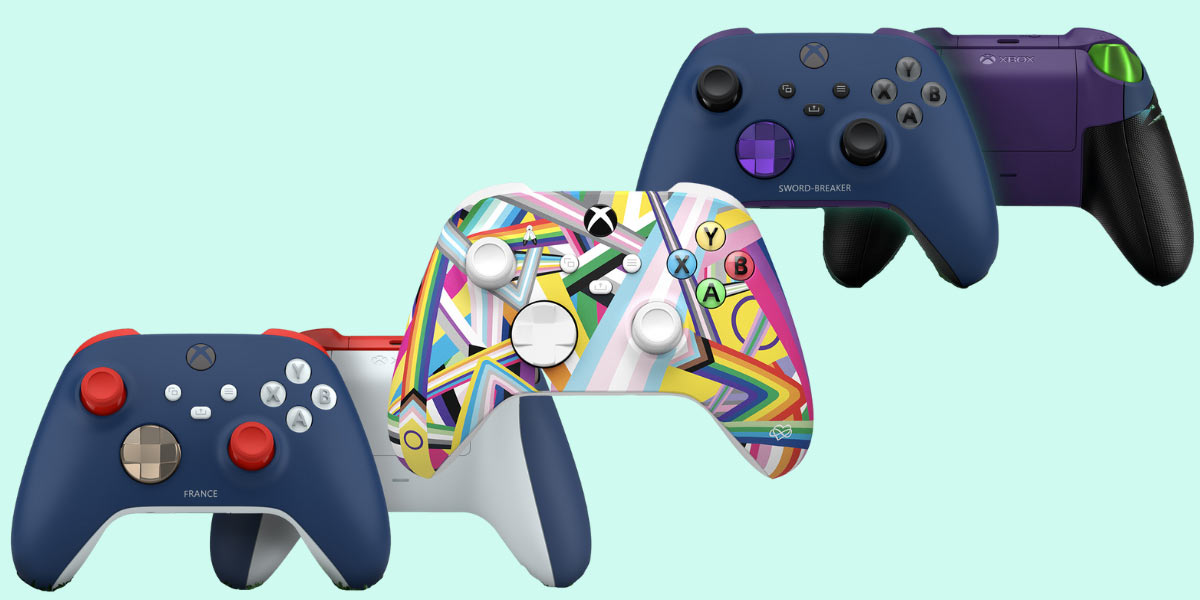
Xbox is having a ✨ moment ✨
There were a few big Xbox announcements out of the Microsoft headquarters this week and we're here for all of them.
Let's not waste your time any longer when there are controllers to be customised and console-less games to play. Here's what's new:
Design your own controllers (finally).
Much like everything else we’ve come to love that was previously only available in the US and then eventually made its way across the oceans to Australia (think Taco Bell, pop tarts, the better streaming services), the Xbox Design Lab has finally joined the party down under.
Microsoft announced this week that the Design Lab would be launching in Australia and ten other countries after Aussie gamers have been asking for it for years.
The service allows you to customise the colours of an Xbox Wireless controller and even add a printed name and grips to match your fave game, character or style and reflect your aesthetic.
The Oz’s Gaming and Tech Writer, Alice Clarke, tried it and said “while the process is easy, choosing which colours and components is hard because there are too many good options”.
So, how does it work? Well you start off by picking the colour of the body from the 29 options available (you can keep it simple with regular block colours, or piece together a few different patterns and pastels) and then select your button styles, personalise it with metallic finishes and choose whether or not to add grips or engraving.
Then you wait—up to four weeks, which might feel like an eternity when you’re excited to get your hands on your controller creation—but it'll be worth it.

No console, no worries?
Microsoft also announced that, starting 30 June, Xbox is coming to Samsung Smart TVs so you won't need a console at all to play games. Wild.
According to Mashable, Xbox Game Pass Ultimate subscribers will be able to stream their games through the cloud using a new app on Samsung smart TVs and monitors released this year.
You'll be able to install it just like you would Netflix and play hundreds of Xbox games without needing an actual console or PC.
Access the app, log into your account, connect your fave Bluetooth controller and voila. If you've already got a Game Pass Ultimate subscription, you'll have access to all the cloud-enable games (which you've already been able to stream on mobile devices for a few years, but now you'll have them on the big screen) and if you don't, you'll still be able to jump into Fortnite without a membership.
Oh and if you wanna avoid wifi lag during some of those more intense gaming sessions, use your TV Ethernet port for faster internet!
Happy gaming, folks, and don't forget you can join Game Pass Ultimate for only $1 thanks to this Student Edge deal.
Header Image: Xbox (edited).
Topics
Ref: 52c291a0-5a9c-46f0-8776-aeb00022a173




Comments & Feedback
Share your opinion
Emoji cheatsheet Formatting Comment guidelines