Work Smarter Not Harder with Galaxy AI Note Assist
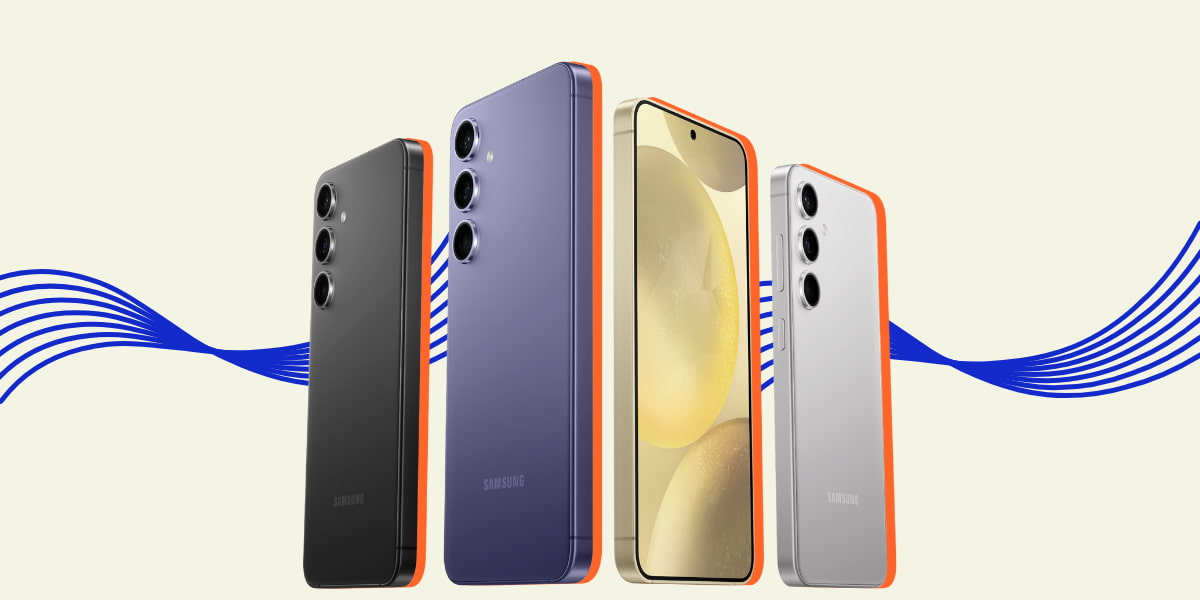
Learn how Samsung Galaxy AI Note Assist can simplify your note-taking during study time.
This article is presented in partnership with Samsung Galaxy.
Have you ever sat in class or in a lecture scribbling your notes down, hoping your lecturer doesn’t change the slide?
Or maybe you’re furiously typing, getting every bit of information on your page but afterwards you have no idea what point you were trying to make?
Enter Samsung Galaxy AI Note Assist ✨
Available on all products in the Galaxy S24 Series, Galaxy AI Note Assist helps you get straight to the point with all your notes.
Plus, it’s your lucky day because eligible students can head to their closest Samsung Experience Store or website for 20% off RRP the Galaxy S24 Series.
Here are some ways Note Assist can take your notes to the next level.
Auto-format your notes from class.
When you’re in class it can feel like you’re just typing so you can get everything down at once.
But afterward, we’re stuck looking at our notes wondering how we can structure them...so they make sense when it's time to study.
With Note Assist, you can click auto format and you’ll be able to turn your in-class scrawl into structured pages. You’ll be able to format your notes into headers, bullets and meeting notes.
You can even swipe through options of how you want your notes formatted. Um, yes please 🙌
Summarise your notes easily.
Ever taken literal pages of notes and just wished you could TL;DR them?
Now you can. The summarise tool analyses your notes and spits out a condensed version with all the key information.
You can then take that summarised info and add it to an existing note or create a new note.
Get rid of pesky spelling mistakes.

It happens to all of us, but when you’re typing spelling mistakes are bound to happen.
Rather than going through your own notes searching for spelling mistakes, hit the spelling option and Note Assist will go through and identify any spelling and punctuation errors in your notes.
They'll show you the mistakes it picked up, underlined in blue, so it's clear as day.
Translate your notes into another language.

Whether you’re an international student or someone who speaks more than one language, the translation function is perfect for you.
Especially if you prefer studying in another language.
Hit the translate option and Note Assist will convert your notes from one language to another. That way you can consume the info from your classes in the language of your choice!
Or, just have your notes transcribed.
If typing is just not it that day, Note Assist on the Galaxy S24 Series will transcribe what others are saying and turn them into notes.
So if you’re sitting in class or in the midst of a group project and want to get what someone is saying written down, click transcribe and you’ll be able to get it noted down.
If you want to make your study life easier, use Note Assist, available on phones in the Galaxy S24 Series.
Eligible students can purchase a new Samsung device both in-store and online.
If you are heading in store, all you need to do is redeem the offer here, copy your unique code, head into your nearest Samsung store and show your student ID to purchase.
Or head to the Samsung Education Store, sign up with your student email and start shopping!
Note Assist requires a network connection and Samsung Account login. Character limit applies. Service availability may vary by language. Accuracy of results is not guaranteed.
Topics
Ref: 10b0b318-4390-4f80-8655-b16a0029fb83






Comments & Feedback
Share your opinion
Emoji cheatsheet Formatting Comment guidelines