Save Your Squad: How To Avoid Group-Work Stress Headaches

Is everyone pulling their weight?
This post is presented in partnership with Microsoft.
We know the dread that sometimes comes whenever you spot the words ‘group’ and ‘assignment’ on your syllabus.
Unless you’re #blessed to be joined with some hard-working, well-intentioned, easily-contactable peers, there are countless obstacles to face in any group assignment: peeps not pulling their weight; documents losing formatting over email (if not being corrupted entirely); someone suddenly getting sick leading up to the due date, and holding the project hostage at their germ-riddled home. (“You pick it up.”)
Even if you're working with good friends, you might just discover some harsh truths about your buddies during the group-work process.
Expectations:

Reality:

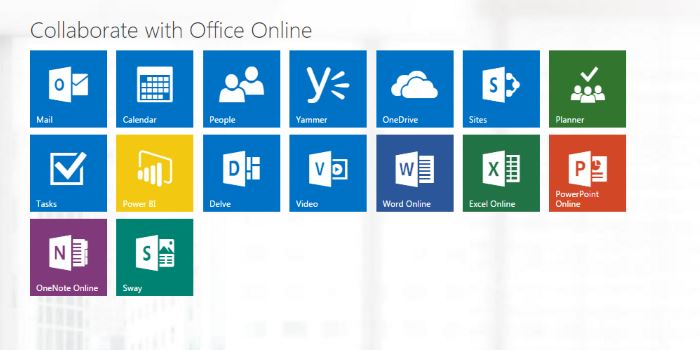
If everything we’ve mentioned above rings all too true, don’t panic. With the help of Microsoft Office 365 (which is free for all students to download, FYI) and some other handy hacks, you can avoid group-work stress headaches and lead that next team assignment (as well as, maybe, save a friendship or two).
1. Hold a kick-off meeting.
Delegation is key to any group assignment, but unless everyone is on the same page from Day One, you may find multiple people doubling up on tasks and ignoring other tasks completely, leading to chaos... if not an outright argument.

If your colleagues are unwilling to meet in person, make sure they all download Microsoft Office 365 (again, free for students) and sign into Skype for Business instead. Besides allowing you to video chat, Skype for Business offers a ‘whiteboard’ function that’ll let your team start brainstorming early, with everyone able to scribble down their ideas no matter where they’re Skyping from.
2. Lock down contact deets.
Sure, you have everyone’s email address (and hopefully mobile numbers), but what happens when they stop hitting reply or taking your calls? You better get contact details for next of kin, best friends and even neighbours, just in case your group-mate goes MIA mid-project and you need to get in touch.
3. Synchronise watches. Or, rather, calendars.
If you’re not so keen on spying on your group-mates and calling up strangers, try the less stalker-ish surveillance route of creating a ‘group’ in Microsoft Outlook and inviting everyone from your team to join. It’s kind of like a social network inside Microsoft Office 365, complete with chat, shared group files and, most importantly, a combined calendar. (Before every movie heist, the criminals synchronise their watches. This is the group-work equivalent!) The Planner function inside Outlook even allows you to assign tasks to your team-mates with due dates; it charts their progress and keeps you abreast of what everyone’s up to. Basically, it makes everyone accountable. Suddenly, with your all-seeing eyes upon them (and those deadlines creeping ever closer), you may find everyone picks up their game.
4. Take good notes.
Sometimes, your fellow groupies will need you to take down notes from a particular lecture that they can’t attend. (Don’t whinge. On occasion, you may need them to pull the same favour for you. Teamwork!) There’s nothing worse, however, than trying to decipher someone else’s chicken-like scribblings. With Microsoft OneNote, you can take photos of the whiteboard and record audio/video of the presenter. That way, everyone on the team will see exactly what went down, even if they weren’t there.
5. Track changes in Word.
If you’re working on an essay, you’ll inevitably find that the Word document getting emailed around starts to become ungainly, with certain people cutting out paragraphs and changing sentences without letting anyone else know (and others deciding to put their words back in, again, without saying a thing). It gets ugly. That’s why you should set an example by tracking changes in Word; this means everyone can see exactly what you’ve edited in the most recent document. You can also add comments to explain why you’ve done what you've done. Bonus: To keep group members from working on old reports that were emailed around weeks ago, host a master draft on OneDrive, where everyone can access it. Students get up to five terabytes (that's 5000GBs!) of storage for free - and unlimited storage if you contact Microsoft - so you may as well put it to good use.
6. Run a PowerPoint seminar.
You’ve managed to get all the way to the end of your group assignment without throttling anyone, and you’re pretty happy with your work. But, what’s this? The dude in charge of creating the group presentation seemingly hadn’t opened PowerPoint in nine years, and, in a panic, has simply added star-wipes to every slide? Avoid this disaster by running a ‘How To’ session well before the group presentation takes place, to highlight some of PowerPoint’s more modern tricks (like ‘Morph’, which just sounds cool; morph).
7. Umm, that’s it. You got an A+. Time to recline.

To find out more about how students can download Microsoft Office 365 - including Word, Excel, PowerPoint and more - for free, follow this link.
Photo: Disney
Topics
Ref: c2c48ffb-8533-47f6-8ed0-a5d9008a8253






Comments & Feedback
Share your opinion
Emoji cheatsheet Formatting Comment guidelines