Why Learning Adobe Creative Cloud Looks Damn Good on Your Resume

Flex those creative muscles.
This post is presented in partnership with Adobe.
If you’re hoping to work in media, marketing, advertising or any other creative industry, chances are you’re going to get tested on your Creative Cloud competency.
Learning Photoshop or Premiere Pro won’t just help you become a better creative—it’ll also look super great on your resume when you’re applying for jobs.
So, we’ve broken down exactly why learning Adobe Creative Cloud is good for your future (and how to get started).
Adobe skills are transferable skills.
When you’re looking to shift up your career path, you’re going to want to arm yourself with as many transferable skills as you possibly can.
Transferable skills are a set of abilities that are useful at way more than just one particular job, activity or organisation. Essentially, you can use them in almost any role, and they help you find a job when you’re looking for work or even a career change.
The skills and experience you gain from learning and working with Adobe Creative Cloud applications are hugely transferable. Not only are they useful in a whole range of creative careers, but they can even help you land a job in a completely different industry—trust us, employers love to see it!
For example, learning the ins and outs of Photoshop and Lightroom can be great for a photography role, but you will also find these skills really valuable in marketing, communications, journalism, graphic design, film and even industries like real estate, retail, or teaching.

It’s the industry standard.
When you’re looking to start learning a new program, software, or content management system, you’ll probably wanna go for the best option out there, right? Well, that’s why Adobe should be at the top of your list.
Adobe Creative Cloud is the preferred software used in most businesses and universities. If you’re studying a creative certificate or degree, your tutors will likely give you instructions on how to use applications like Premiere Pro, After Effects or Illustrator, just to name a few.
At Adobe they’re always doing what they can to make sure their products remain professional, innovative, easy-to-use, and up to date.
So, if you’re looking to enter the workforce post-graduation, it’ll make your life way easier if you have experience with the software that the companies you’re applying at currently use.
You can build a better resume and portfolio.
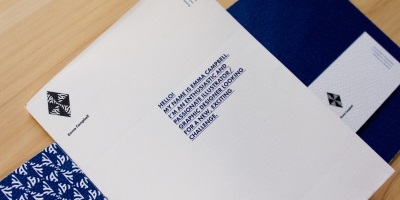
Aside from looking good on your resume, Adobe Creative Cloud can help make your whole resume look good.
While appearances don’t always matter, employers are way less likely to give your resume and cover letter a go if it’s messy, bland, hard to read or poorly designed.
With InDesign or Illustrator, you can create a beautiful looking resume to fit your personality, style and get noticed by employers.
This is also important if you’re applying for a creative role like graphic design or photography. It gives you the opportunity to show off some of your skills before potential employers have even had a chance to check out your portfolio.

You can learn it anywhere.
One of the best things about Adobe Creative Cloud is that you can learn it pretty much anywhere, and at any stage throughout your career (yes, even if you’re still in school).
You don’t need to go to uni or TAFE to make a start on learning Adobe software, and you don’t even need to pay for a rando subscription service to find tips and tricks.
There are heaps of super detailed tutorials on Adobe’s YouTube and Behance. Plus, Adobe even does their own run-throughs and tutorials online if you wanna learn from the team themselves.
Not only can you learn from home in your own time and at your own pace, but doing so shows employers that you can have the initiative to strengthen your experience, as well as build more skills.

It’s creative and fun.
On top of looking real snazzy on your resume, knowing how to use Adobe Creative Cloud software can actually be a really fun and interesting way to spend some free time.
If you’re a creative person and enjoy editing photos, illustration, filmmaking or design, learning how to use any Creative Cloud app is a great way to find a new hobby or passion.
No matter what career path you go down, having the skills that Adobe Creative Cloud gives you will be impressive to employers.
You could even use these newfound skills to do freelancing work or even start your own business—the options are endless.

If learning Adobe Creative Cloud is something you’ve been thinking about for a hot minute or a requirement for your classes, why put it off any longer?
You can find out more about Adobe and all their products, as well as sign up and download Creative Cloud on the Adobe website.
Fun fact, students save 70 per cent off Adobe Creative Cloud with their Student Edge subscription.
Time to get creating!
Header Image: Supplied
Topics
Ref: fffe1536-1cfa-4ef4-b11a-ad790030f292





Comments & Feedback
Share your opinion
Emoji cheatsheet Formatting Comment guidelines