Here's How to Unlock Your iPhone While Wearing a Face Mask
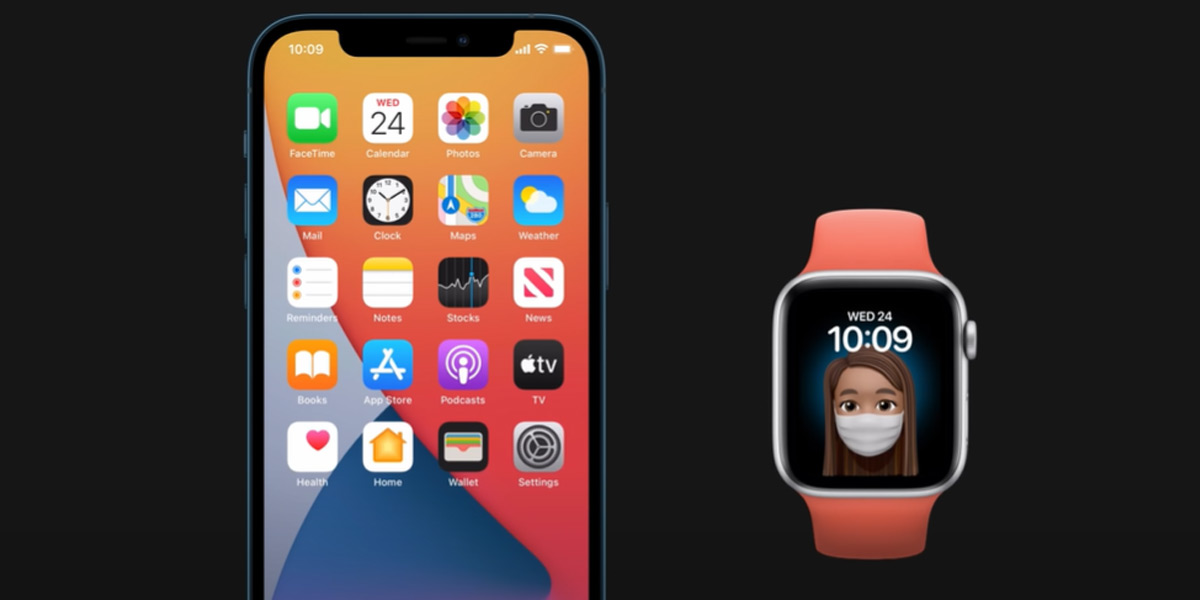
There’s just one catch.
One problem I never predicted would happen is the minor frustration I experience when my iPhone won't unlock because Face ID doesn’t recognise me with a face mask on.
A small price to pay for stopping the spread of COVID-19, I know, but it’s cool to see that Apple have found a solution to this very first-world problem with their latest software update.
To get you up to speed, here’s how to unlock your iPhone with a face mask on.
Before we dive in, we should mention that this new feature is only available to people who also have an Apple Watch. (Clever, Apple, clever.)
Update your software.
Before you can setup the mask detection feature, you’ll need to update your iPhone to iOS 14.5.
If you’re unsure how to do this, simply go to Settings > General > Software Update.
From here, you will need to do the same thing for your Apple Watch and download WatchOS 7.4.
Setup ‘Unlock with Apple Watch’
Now that you have updated the software, it’s time to setup the ‘Unlock with Apple Watch’ feature.
Note: you will need to have a passcode enable to use this feature.
Head to Settings > Face ID & Passcode and select ‘Unlock with Apple Watch’ to turn the feature on.
If you don’t have a passcode setup for your Apple Watch you may be asked to set one up.
Also ensure that you have wrist detection turned on.
Give it a test.
Time to slap on your face mask and give it a go!
Bear in mind your Apple Watch will need to be unlocked any time you want to do this, but once it is your phone should detect your face mask and immediately unlock via your Apple Watch.
Which iPhones will it work with?
Here’s a full list of all the iPhones the ‘Unlock with Apple Watch’ feature will work with.
- iPhone 12
- iPhone SE (2020)
- iPhone 11
- iPhone XS
- iPhone XS Max
- iPhone XR
- iPhone X
- iPhone 8
- iPhone 8 Plus
- iPhone 7
- iPhone 7 Plus
- iPhone 6s
- iPhone 6s Plus
- iPhone SE (2016)
What if I don’t have an Apple Watch?
The only work around we can see for this is resetting your face ID and wear a face mask whilst it calibrates. This isn’t a great idea though as you’ll have to wear a mask every time you want to open your phone.
Maybe just stick with entering your passcode instead.

Header Image: Apple




Comments & Feedback
Share your opinion
Emoji cheatsheet Formatting Comment guidelines