Ace Your Next Assignment with These Research Tools

Ace that assignment with ease 😌
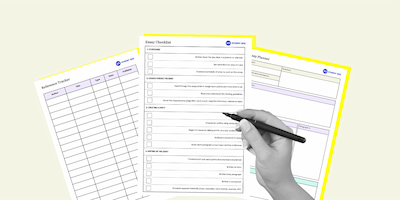
Trying to stay on top of multiple subjects at once can be tricky and tackling all those assignments and essays or papers week after week quickly becomes overwhelming. We’ve got a few tools to help you stay organised, less stressed out and make sure you get the marks you need.
Chrome extensions to download ASAP.

MyBib: Free Citation Generator
This extension can automatically create APA style, MLA format, and Harvard referencing style citations with its citation generator. It’s a free bibliography and citation generator that creates accurate citations for you to copy straight into your academic assignments and papers. Plus, it can tell you if a source is credible or not.
But remember: when using an extension like this, it’s best to double check for yourself that the source is legit.
This is another extension that can automatically create APA, Chicago, MLA or Harvard referencing styles. All you’ve gotta do is browse to the page you wanna cite and click the extension then copy and paste it into your bibliography or reference list.
This works as a function inside of Google Scholar and turns search results into easy copy and paste references using the main styles of APA, MLA and Chicago. It also helps you track down PDFs of the paper you’re after.
AI tools that can summarise articles or videos in seconds.

Recall has a browser extension which makes it super easy to use, plus it has a knowledge base where you can save the summaries it’s compiled if you wanna come back to them later.
This also has a browser extension and can create summaries of a wide range of web pages. And you can share your web highlights and notes from any webpage with others users (super handy for group assignments or sharing notes with people in your class!)
This is a tool that’s good for quickly paraphrasing text, best for shorter form paragraphs or sentences rather than long-form content.
This is an AI tool that can reduce your reading and watching time by summarising any text or YouTube video into easy to consume dot points.
A great AI article summariser that’s quick and easy to use. The only downside with this one is that it doesn’t have a browser extension like the other options.
Time management apps to keep you productive.

This is a cute app that you can use to keep yourself off your phone. It works like this – you plant a tree and leave your phone unattended so that it can grow. If you use your phone while the tree is growing and the timer is still going, the tree dies. It’s a good way to have a visual incentive, you can even keep track of how often you have focus sessions with your own in-app forest!
If you need to block websites that you know will distract you – this is the chrome extension for you. List the websites you wanna stay off (like Facebook, YouTube, Instagram, etc.) and set a timer. Any time you try to access the blocked sites while the timer is active, you’ll be met with a webpage restricting your access to the site.
Break down the task into a to-do list easily.

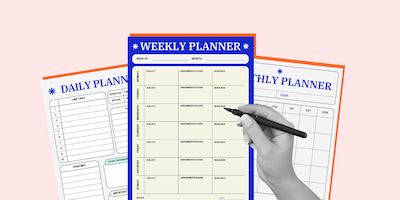
You can use Trello for assignment and essays by creating a board for each subject. Make lists for ‘upcoming assignments’, ‘research’, ‘writing’ and ‘completed’. Plus, you can set deadlines to keep track of due dates and attach notes, links or files for easy reference.
Break down assignments into smaller tasks (e.g., "Research," "Write Introduction," "Edit"). Set deadlines & reminders to avoid last-minute stress and use priority levels to focus on urgent assignments first.
Topics
Ref: 8ee3b878-fb34-46c9-800b-b290006ce284




Comments & Feedback
Share your opinion
Emoji cheatsheet Formatting Comment guidelines