The Six Things You Should Never, Ever Do In a Presentation

Oh, the humanity.
This post is presented in partnership with Monash Business School.
Most people are more afraid of public speaking than they are of death, and they’re right to be, because public speaking is very, very scary! We've all witnessed a presentation that went badly for the speaker, leaving us hot in the cheeks and sweaty-palmed.
As we're even discovering from home, some students are still capable of spiralling while presenting over video conferencing platforms, humiliating everyone involved from afar.
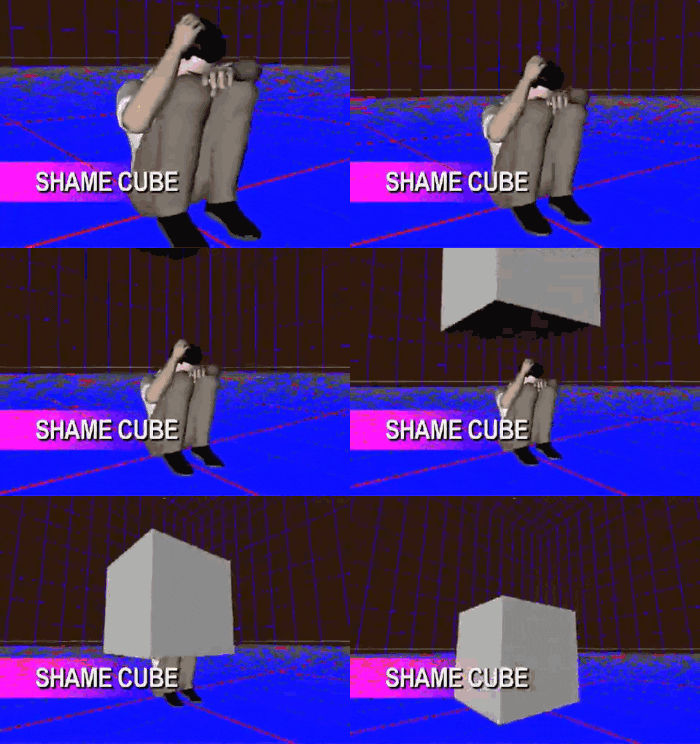
Thankfully, there are ways to avoid these kinds of sticky scenarios, so long as you avoid these six major 'no nos'. Steer clear of these common mistakes, whether you're presenting in person or via video conference, and you’ll succeed where so many others have failed.
DON’T… mumble.
Unless you’re Lil Uzi Vert, you probably shouldn’t mumble. In fact, even Lil Uzi Vert and his mumble-rapping buddies should make a point to enunciate when public speaking. Many failed speeches are simply the result of an inaudible speaker who’s not confident enough in themselves or their content.

Make sure you’re projecting (without shouting) and clearly articulating what it is you want to say. Now, you’ve got their attention. Hopefully, the content is worth hearing.
DON’T... ignore the audience.
Engaging the audience doesn’t mean relying on them to help you kill your allotted time. Another common mistake is asking too many questions of the listeners on your call (or in the crowd), and then flailing if they don’t happen to know the answers, or are too shy to respond. It’s equally disastrous—and, honestly, unsettling—to keep your head down as you speed-read your speech. Instead, give everyone a bit of eye contact; involve them occasionally, if appropriate; and suss out how they’re responding. Basically: read the room. For instance, if you suddenly feel inspired to crack jokes but they keep falling flat, maybe skip the next punchline you’ve got lined up.

DON’T… go overboard with the technology.
How many presentations have been foiled by technology that just will not work on the day? Too many. Before you know it, your time is up, and you’re still trying to figure out how to scroll back on Prezi, or get your PowerPoint back in full-screen mode.

Though a spiffy-looking presentation is always smart, try to keep it simple. And though demonstrating something on the internet or playing short videos can be helpful at explaining a concept, or might be needed to prove a point, make sure you have a back-up plan in case the Wi-Fi drops out or if the screen-sharing function is on the fritz.
DON’T… forget basic video conferencing etiquette.
Given recent circumstances, more and more of us have been forced to make presentations over video conferencing platforms like Microsoft Teams and Zoom. On the plus side, this allows you to share your screen, making it a whole lot easier to keep eye contact with your listeners in their little 'squares' while reading from your presentation. However, have you forgotten what your square looks like to them? Are you wearing a striped shirt that keeps on strobing? Do you have some personal items behind you that you would prefer not be broadcast to your peers? Is your camera angle all weird?

These things should't hurt your final grade, in theory, but if your marker is too distracted by the cat jumping onto your head every two minutes, you might not be holding their attention as much as you’d hoped. At the very least, make sure the lighting is flattering, that your camera is poised so your head and shoulders fill the screen, that you're using headphones and an external microphone (often they come with new headphones) for premium audio quality, and that you're not walking around while you're speaking. (And if you're thinking of adding a funny background to your screen... don't.)
DON’T… wing it.
Some people put a bunch of dot points into their presentation and call it a day, figuring they’ll improvise when the time comes and talk 'off the cuff'. These people are a danger to themselves and others.

There’s nothing wrong in keeping it loose and sounding fresh, and often over-preparation can be a recipe for disaster too (making you sound stale). But those who 'wing it' usually wind up rambling, repeating the same things over and over again, or failing to hit upon certain essential points, simply because they didn’t prep properly.
DON’T… try to memorise the whole speech by heart.
Remember what we said about over-preparing? If you’re trying to memorise an entire 50-minute presentation, without missing a single syllable, you’re working too hard! Make sure your visual presentation succinctly guides you and the audience without getting too wordy, and use that as a prompt to speak from. If you're presenting in person, feel free to use palm cards, provided you don’t print your whole speech onto them. If you're presenting over Zoom or Teams, take advantage of the situation and keep a page of additional notes next to you (out of the teacher's sight). That way, there's no chance of you forgetting what it is you wanted to say, and you won't have to pretend your screen is frozen to escape this nightmare scenario.

Put your new presentation skills to use at Monash Business School (and beyond). Find out more about Monash Business School's wide range of single and double degrees, and see why employers prefer their graduates for a reason.
Header Image: NBC
Topics
Ref: bdb69119-e8fe-4306-a871-abb90036f1fe



Most Popular



Comments & Feedback
Share your opinion
Emoji cheatsheet Formatting Comment guidelines
thanks.