Six Free Google Tools All Students Should Be Using
They just make life so much easier.
Google is one of the biggest companies in the world. They even managed to turn their name into a verb. I’m a student and I’ve found over the last few years that Google offers many products (other than its uber-powerful search engine) that are incredibly useful and, most importantly, free.
I’m not paid by Google, as nice as that would be. I’m just here to spread the word to other students who may be missing out on some incredible services that could greatly help them with their studies.
Google Drive

Sitting on my desk are five USB sticks, four SD cards, one micro SD card and an external hard drive. I have no idea what is on any of those storage devices. And carrying one around, to and from uni, always has me worried that it’ll break or get corrupted. Google Drive makes things so much easier. I can start an assignment on a university computer and continue right where I left off when I get home, without the annoying process of transferring everything to a USB, then back to another computer, and then repeating this process over and over until the assignment is done. Emailing work to yourself can be even more frustrating. Using Google Drive means I don’t have to worry about whether a particular assignment is on my laptop, one of many USBs or somewhere else entirely. Even if you’re someone who is sceptical of cloud systems, I’d strongly recommend looking into Google Drive because I was one of those people only a couple of years ago. Now I live by it.
Google Docs, Sheets and Slides
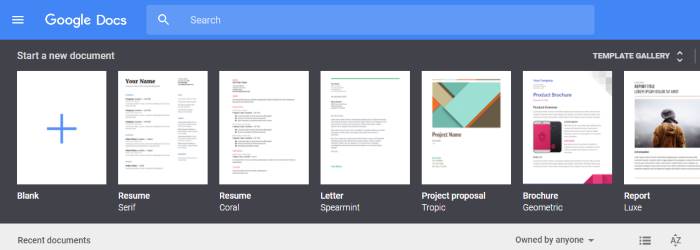
The best part of these applications is the sharing ability, which is perfect for group assignments. I’m in my third year of studies at university, and I would honestly bet that more than half of my collaborative assessments have been completed using at least one of these apps. By sharing a Google Doc, Sheet or Slide, anyone that has access can edit the document and it updates for the other users in real time. This makes things so much easier than constantly sending information back and forth or trying to put five documents together at the last minute. Plus, the very idea of this sharing capability, in my experience, incites collaboration, because everyone is constantly up to date.
Google Calendar

Speaking of being up to date… Once again, the sharing capability within specific calendars is fantastic for keeping everyone informed about the assignment schedule. Whether it be group meetings, task deadlines or anything really, by sharing a calendar with this info, everyone in the group knows exactly what is going on and when things are happening.
Google Scholar

Basically, when your tutor tells you that you must use academic sources for assignments, use Google Scholar. It only returns academic sources and filters out 'the nonsense'.
Graham Mitchell Elphick is one of Student Edge’s student contributors. See more student contributions here.
Photo: Google & iStock.com/HAKINMHAN & pagadesign
Topics
Ref: c1848bb1-afb9-43ab-8d06-a8a4008d037a






Comments & Feedback
Share your opinion
Emoji cheatsheet Formatting Comment guidelines