How to Play an Online FIFA Tournament With Your Friends

Because this is how we socialise now.
If traffic to our site during the coronavirus pandemic is anything to go by, you lot sure are spending heaps of time playing video games right now!
And we don’t blame you. In fact, we’re right there with you. Whether it’s strafing the Call of Duty: Warzone map or spending some quiet time with Animal Crossing: New Horizons, video games have given us a fun reprieve from the outside world.
But games can also help us keep our relationships alive. Suddenly, putting on your headset and gaming for hours isn’t a form of isolation; it’s actually one of our last remaining tethers to our friends and families.
If you’ve not had the pleasure of online gaming before, you may want to start with something simple, and keep the circle of players tight, to pre-existing friends. And what better way to do that—seeing as all sporting events have been cancelled anyway—than with a FIFA tournament featuring your pals?
How to set up an online FIFA tournament with your friends (and only your friends).

So, the first thing you need to know is that the FIFA games—including the most recent release, FIFA 20—don’t actually have a closed tournament mode exclusively for you and your buddies (unless you all move in together and play on the same console, though that doesn’t sound much like social distancing to me). Instead, you can only join the same team online and play Co-Op Seasons. At least that fits EA Games’ current mantra of "Stay Home, Play Together"!
That is… unless you follow my instructions.
1. First, you’ll want to pick your fellow players, or create an event/group on Facebook encouraging your friends to invite their friends and so on and so forth. Since the FIFA brand doesn’t allow crossplay, everyone in your proposed tournament will need to have the same console and the same edition of FIFA. Give everyone a couple weeks to get sorted, and keep an eye on the online stores, as you may be able to all buy an older edition for cheap. Everyone will also need to pay to access their console’s online multiplayer modes, e.g. PlayStation Plus or Xbox Live Gold subscriptions. From there, you can create a party and chat together while you compete.
Top tip: Since you’re going to have to personally manage the tournament and its entrants, you may want to limit it to a few players, for your own sanity, but if you want to host a tourney with 50+ contenders, go for it. We’ll be praying for you.
2. Next, you can use this awesome free FIFA Generator to create your contest.
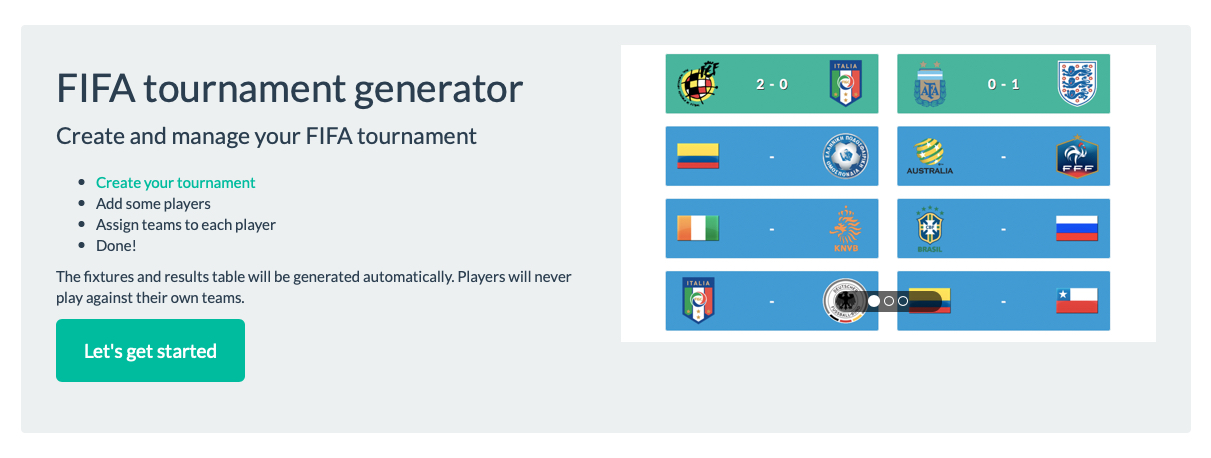
On this site you can enter the number of players in your tournament, how many teams each player will have, and whether or not you want to play 'knockout' rules (as in, after each loss, a team exits) or 'league' rules (which sees every team play every other team and accumulate points to decide a final winner). Or, you can do a combo, which allows all teams to accumulate points, and then the highest two at the end of the tournament compete for the overall crown.
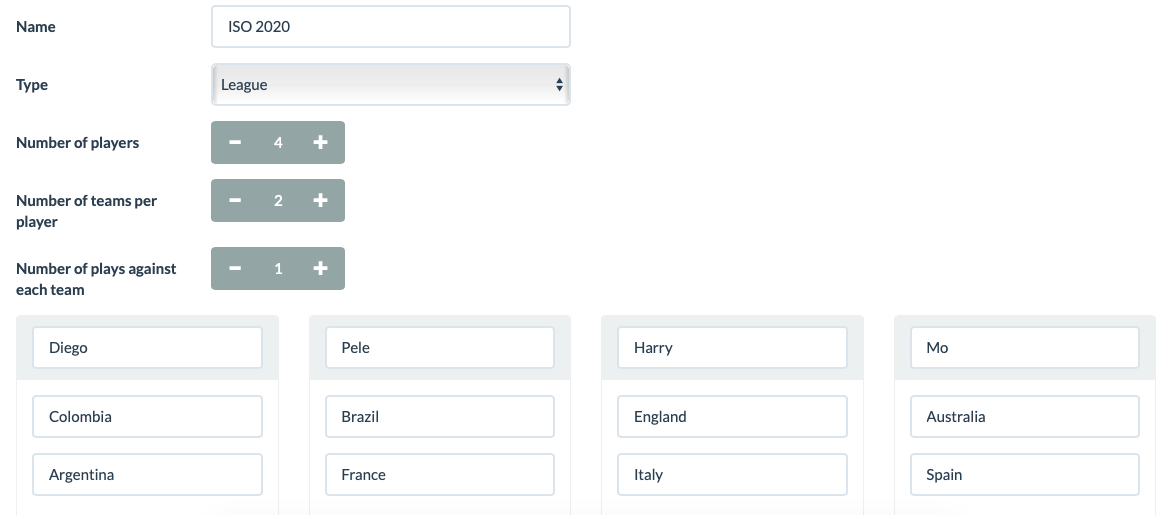
Again, don’t go overboard with the number of teams per player. For instance, a simple tournament with four players, each with two teams, results in a total of 24 games (in league mode). Add one extra player, the total number of games grows to 40, and so on and so forth. As tournament host, you’ll be in admin hell.
3. Once you’ve locked in your players and generated the league, you’ll want to set aside a night or a weekend for everyone to meet online and play their individual games. Be sure to define the rules for all games ahead of time, from length to fatigue to whether or not you'll allow offside and injuries. We’re looking for a clean tournament, folks.
4. You’ll be able to play each game in Online Friendlies mode (create a 'New Friendlies Season' and ensure your competitor is online so you can send them an invite).
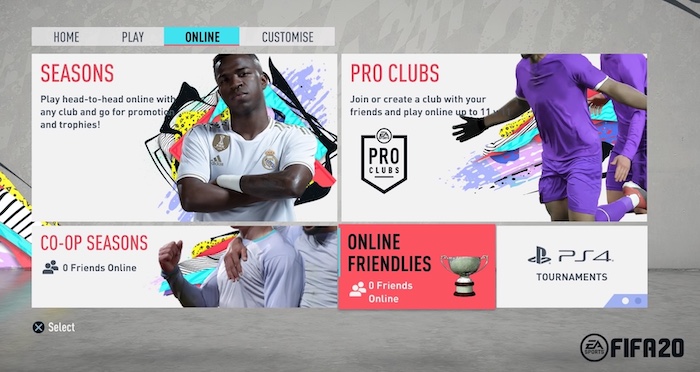

Then, get everyone to send you their final scores, and you can enter them into the FIFA Generator.
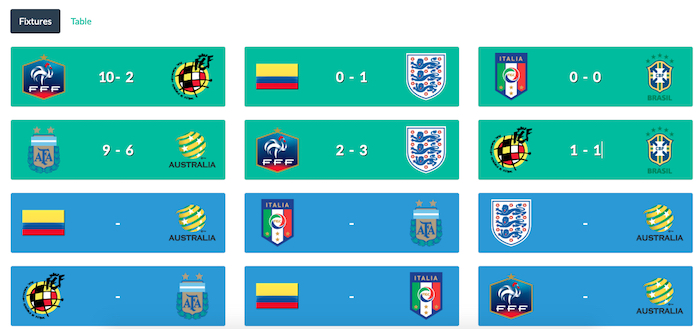

Not only will you get a chance to chat with and play against each of your mates, but also you’ll all be contributing to an overall tournament. The only question is, will you arrange a prize? Anything but a hug, we’d say.
Header Image: EA Sports
Topics
Ref: c29adf9b-8a40-4cb0-9338-ab9e0031d118



Most Popular



Comments & Feedback
Share your opinion
Emoji cheatsheet Formatting Comment guidelines
Thanks.