How to Make Your Resume Stand Out (Even With Little Experience)

THIS will get your recruiter's attention 👀
With 40% of recruiters spending less than a minute looking at resumes, it’s all about making good first impressions.

But you might have heard conflicting advice—'don’t use graphics' versus 'make the design stand out', or 'keep it sparse' versus 'include all your soft skills'…
What your resume looks like will also depend on the industry you’re applying for jobs in. Corporate jobs might prefer standardised resumes, while creative jobs may be looking for your personal flair on the page. Starting to feel like your work’s cut out for you?
Fear not. There are plenty of resources to ensure you’re creating a top-notch resume to put your best foot forward. But if you want to really stand out to an employer, our new Get Job Ready Pathway on Student Edge Plus is exactly what you need.
It’s got everything you need to know to find the job that suits you best and develop the skills the succeed in today’s work environment.
Plus, with your membership, you’ll get access to the Ready, Set, Uni and Real Money Talk Pathways as well to figure out your uni journey and learn how to save money! Don’t miss it – sign up here!
1. Make your resume look like a digital resume.
87% of recruiters check LinkedIn, meaning they’re familiar with seeing a chronological, simplified record of your work experience and achievements.
If you have a LinkedIn account, there’s a super easy way to export your entire profile into a PDF by going to your profile, clicking on “More” and “Save to PDF”.
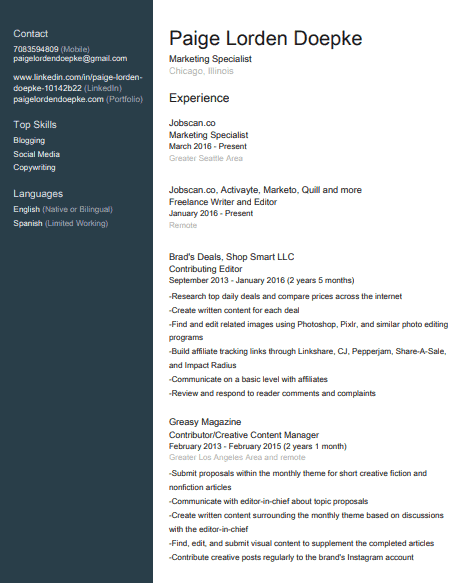 (Image credit: LinkedIn)
You can do the same on our Student Edge Profile Builder which we recommend for students, as it includes the opportunity to list micro-credentials and volunteer experience.
But if you don’t have an online resume, you can mimic the layout of what recruiters are familiar with seeing.
Microsoft Word has a bunch of free templates which use this format. Check out this one, which is essentially the same as the LinkedIn PDF.
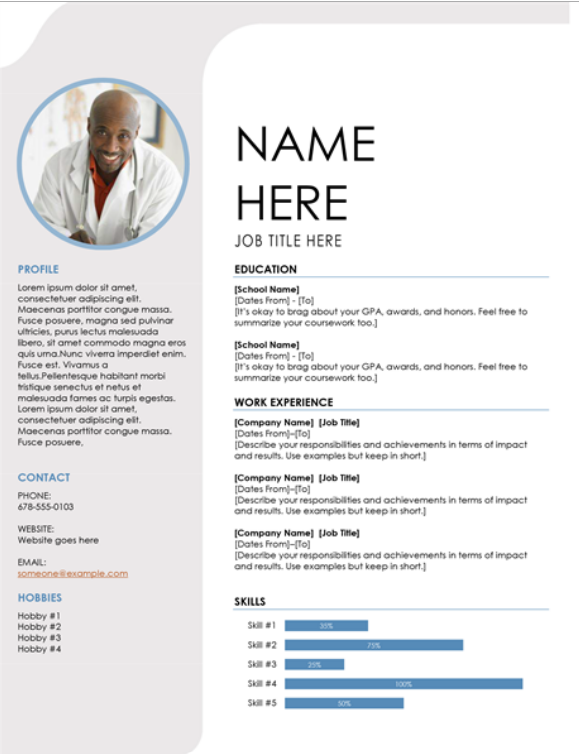 (Image credit: Microsoft Word)
Keep in mind, however, that lots of people will be using these same templates because they’re easy to access and readily available. If you want to stand out, don’t be afraid to tweak the templates yourself to make them reflect how you want to be perceived as an employee.
2. Use Canva templates.
This is a level-up if you want to effortlessly make your designs look aesthetic and graphically impressive.
Canva is super easy to use and you don’t even need a paid account to get access to some epic templates.
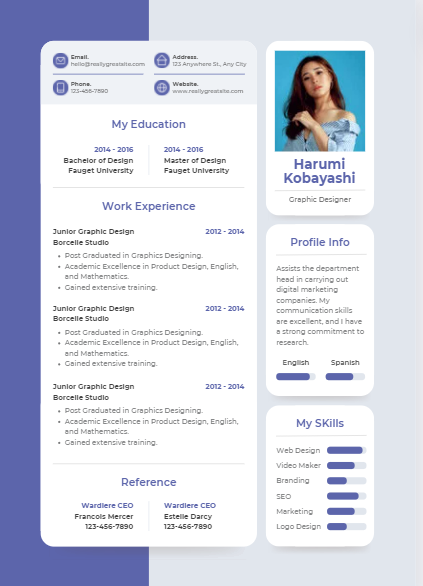 (Image credit: Canva)
To reiterate, these kinds of designs are best for creative-focused jobs. Several websites give the advice not to include too many ‘random’ or non-standard headings, as many large companies now use software to automatically scan through resumes submitted online. If your resume is too funky, it may not be picked up.

3. Keep it concise.
Remember that stat about how long recruiters spend looking at resumes? Yeah, they don’t have time for a five-pager.
Especially if you’re in school and haven’t done a ton of work experience or volunteering, it’s okay for your resume to be short and snappy. Employers will actually appreciate it.
To determine what sections are appropriate for you to include, the Student Edge Profile Builder will help you out. It will show your percentage of completion, and then allow you to download a PDF file (with custom designs)!
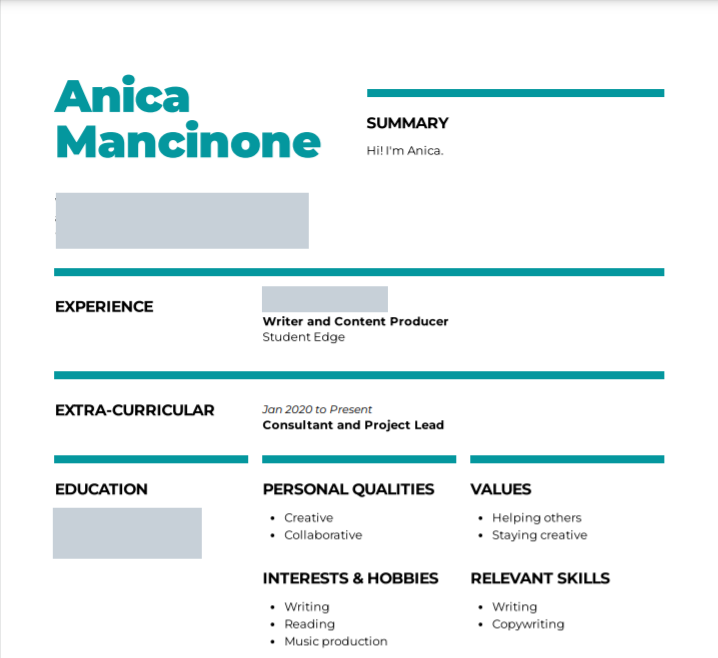
If ever stuck, browse the web for design inspiration and the best ways to word your achievements and skills. There’s always a way to stand out from the crowd!
Header image: Canva
Topics
Ref: 9788d53a-a723-434b-ad54-ae4b00200f4f




Comments & Feedback
Share your opinion
Emoji cheatsheet Formatting Comment guidelines